Looking for the best 480Hz monitor for competitive gaming?
Whether you’re a professional player or an aspiring one, you’ll find the best 480Hz+ displays in this buyer’s guide, as well as all the information you need to make an informed decision.
| Monitor | Size | Panel | Resolution | Refresh Rate | MBR | |
|---|---|---|---|---|---|---|
| 24” | TN | 1920x1080 | 610Hz | ELMB2 | ||
| 24.1” | TN | 1920x1080 | 600Hz | DyAc 2 | ||
| 24.5" | IPS | 1920x1080 | 1100Hz | MBR Pro | ||
| 26.5” | QD-OLED | 2560x1440 | 500Hz | N/A |


Acer X27U F5
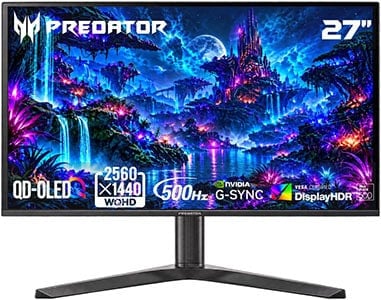
- 1440p resolution
- QD-OLED panel
A 480Hz refresh rate provides you with incredibly smooth and responsive gameplay as there are only 2.08ms between frames – as opposed to 2.78ms at 360z, 4.17ms at 240Hz, 8.33ms at 120Hz or 16.67ms at 60Hz.
Some gamers may think that refresh rates over 144Hz or 240Hz aren’t that noticeable or worth the upgrade, but if you can output 480FPS and have a 480Hz gaming monitor with quick enough response time, the difference is definitely there!
In fact, the difference in motion clarity between a 120Hz monitor and a 480Hz OLED display or an LED-backlit monitor with backlight strobing is greater than the jump from 60Hz to 120Hz!
Apart from the refresh rate, gamers should also ensure that they pick the right resolution, panel type and features that they prefer.
In the review summaries below, we’ll go into detail about what makes each of these displays unique, so that you can pick one that’s most suited for you!
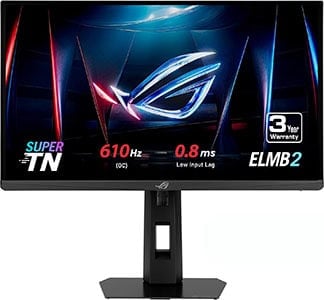
ASUS XG248QSG
Best eSports Gaming Monitor
Size: 24.1″
Panel: TN
Resolution: 1920×1080
Refresh Rate: 610Hz
The Pros:
- Wide color gamut
- Plenty of features, including VRR and MBR up to 610Hz
- Quick response time, low input lag
- Ergonomic stand, USB hub
The Cons:
- Narrow viewing angles
About The Monitor
The ASUS ROG Strix XG248QSG Ace is one of the most affordable 480Hz+ eSports gaming displays, yet it offers everything you need for serious or professional competitive fast-paced gameplay.
Image Quality
The monitor is based on a 24.1″ TN panel with a rapid pixel response time that’s fast enough to keep up with such a high refresh rate.
With the 1920×1080 Full HD screen resolution, you get a pixel density of 91 PPI (pixels per inch), so details won’t be quite as sharp as that of higher resolution displays. However, 1080p resolution allows you to achieve the highest frame rates as it’s not demanding on the GPU, which in turn results in the lowest input latency.
Next, the monitor has a peak brightness of 400 nits, so it can get more than bright enough even in well-lit rooms.
The static contrast ratio amounts to 1,000:1, so blacks won’t be as deep as that of VA or OLED panels. For competitive gaming, most users prefer to raise black levels anyway in order to make enemies easier to spot in shadows and dark scenes.
The ASUS XG248QSG has a wide 90% DCI-P3 gamut coverage for more vibrant colors. This is also helpful in competitive games, as more saturated colors can make your enemies stand out more in certain environments.
There’s even an sRGB emulation mode in case you prefer more neutral and accurate SDR colors.
VRR is supported up to 610Hz for fear-free gameplay, and it works on both AMD and NVIDIA GPUs.
The monitor also boasts ELMB2 (Extreme Low Motion Blur) technology, which uses backlight strobing to reduce perceived motion blur at the cost of image brightness. It works at fixed refresh rates of 100Hz, 120Hz, 240Hz, 360Hz, 500Hz, 600Hz and 610Hz.
ELMB2 is well-optimized, as the brightness can still remain high (between 300 nits and 400 nits depending on clarity level, and there’s no strobe crosstalk (image duplications).
Gaming features include Dark Boost (improves visibility in dark scenes), crosshair overlays, on-screen timers and a refresh rate tracker.
Design & Connectivity
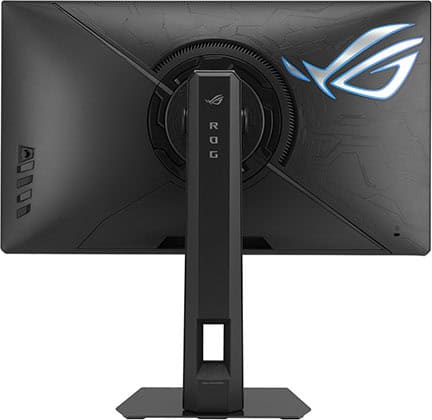
The stand of the monitor offers height adjustment up to 160mm, -5°/35° tilt, +/- 45° swivel and 100x100mm VESA mount compatibility. The legs of the stand’s base are also adjustable in case you like to keep your keyboard and mouse closer to the screen.
Connectivity options include DisplayPort 1.4 with DSC, two HDMI 2.1 ports, a headphone jack and a USB-C port (for firmware updates only).

BenQ XL2586X+
Premium eSports Gaming Monitor
Size: 24.1″
Panel: TN
Resolution: 1920×1080
Refresh Rate: 600Hz
The Pros:
- Wide color gamut
- Plenty of features, including VRR and MBR up to 600Hz
- Quick response time, low input lag
- Ergonomic stand
The Cons:
- Narrow viewing angles
About The Monitor
The BenQ Zowie XL2586X+ goes up to 600Hz for the smoothest motion clarity and low input latency possible!
Image Quality
BenQ’s DyAc 2 implementation is also very good as there’s a small brightness hit (can maintain around 330 nits) and no strobe crosstalk.
The BenQ XL2586X+ has a wide color gamut for vibrant colors, but there’s no sRGB emulation mode.
Gaming features include Black eQualizer (improves visibility in dark scenes), Color Vibrance (color saturation adjustments) and XL Setting to Share (allows you to import picture settings from other players).
There are no crosshair overlays since Zowie monitors are often used for tournaments, and having a crosshair overlay would be considered cheating.
The XL2586X+ goes for $1000, while the ROG Strix XG248QSG can be found for $800. We find that ASUS’ model offers better value for the money, especially if you can find it on sale, but if you prefer Zowie’s features, it’s also worth considering.
Design & Connectivity

The stand offers height adjustment up to 155mm, -5°/35° tilt, +/- 45° swivel and 100x100mm VESA mount compatibility.
It also comes with the shading flaps to minimize distractions.
Connectivity options include DisplayPort 1.4, three HDMI 2.1 ports and a headphone jack.
Alternatives
- BenQ XL2586X – older model with a 540Hz refresh rate, can be found for ~$50 less
While there are 25″ 1080p 500Hz monitors with IPS panels, such as the Dell AW2524H, we don’t recommend them since their pixel response time is not fast enough to keep up with the refresh rate, resulting in noticeable ghosting behind fast-moving objects.
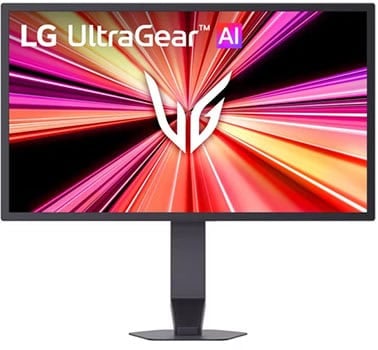
LG 25G590B
1100Hz Gaming Monitor
Size: 24.5”
Resolution: 1920×1080
Panel: IPS
Refresh Rate: 1100Hz
The Pros:
- Wide viewing angles
- Plenty of features, including VRR and MBR up to 1000Hz
- Decent response times, low input lag
- Ergonomic stand
The Cons:
- IPS glow and mediocre contrast ratio (as expected from this panel technology)
- Response times not fast enough to keep up with 1000Hz
About The Monitor
The LG 25G590B is the world’s first monitor with a native 1000Hz refresh rate, and you can even overclock it to 1100Hz!
Image Quality
To completely eliminate ghosting behind fast-moving objects at 1000Hz, the monitor would need a pixel response time of 1ms GtG or faster. More importantly, every pixel transition would need to meet that target, not just the average.
In practice, the LG 25G590B has an average response time of around 2.5ms, with some transitions taking over 6ms. Consequently, you’ll still notice some ghosting in fast-paced scenes, despite the exceptionally high refresh rate.
If motion clarity is your priority, 1440p 360Hz IPS monitors with G-SYNC Pulsar, such as the ASUS XG27AQNGV, are better alternatives. They’re also more affordable, and you don’t need to reach anywhere near 1000FPS to benefit from their motion clarity.
The LG 25G590B also supports backlight strobing for improved motion clarity. However, its implementation isn’t particularly well optimized, with noticeable strobe crosstalk resulting in distracting image duplications.
Assuming your system can actually push 1000FPS (something that’s simply not feasible in most games), the monitor’s biggest advantage is its exceptionally low input lag of just 1ms.
Other specifications include a 400 nits peak brightness, a 1000:1 contrast ratio, wide viewing angles and full sRGB color gamut coverage. You also get standard gaming features such as Black Stabilizer, customizable crosshair overlays and a refresh rate tracker.
Design & Connectivity
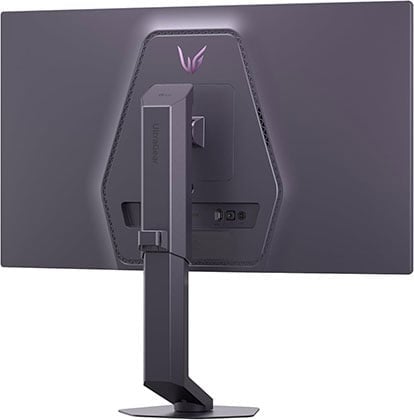
The stand offers height, swivel and tilt adjustments, as well as 100x100mm VESA mount compatibility.
Connectivity options include DisplayPort 2.1 with UHBR20, two HDMI 2.1 ports, a USB-C upstream port and a headphone jack.
Alternatives
We recommend waiting for the upcoming 24.5″ 1080p OLED models, which will go up to 720Hz!
Acer X27U F5
Value 1440p OLED Gaming Monitor
Panel: QD-OLED
Resolution: 2560×1440
Refresh Rate: 500Hz
HDR: Yes
VRR: FreeSync (G-SYNC Stable)
The Pros:
- Wide 99% DCI-P3 color gamut
- Infinite contrast ratio, high peak brightness
- Quick response time, low input lag
- Plenty of gaming features, including VRR up to 500Hz
- Fully ergonomic stand, USB-C 65W, KVM
The Cons:
- Risk of permanent image burn-in and temporary image retention
- Not as bright as mini LED displays
About The Monitor
The Acer Predator X27U F5 is among the best 27″ HDR gaming monitors available, combining a 4th-gen QD-OLED panel with an ultra-fast 500Hz refresh rate and VESA DisplayHDR True Black 500 certification.
Image Quality
Thanks to OLED technology, the Acer X27U F5 delivers an effectively infinite contrast ratio and near-instantaneous pixel response times, resulting in deep blacks, excellent HDR image quality and exceptionally responsive gameplay.
One of OLED’s biggest advantages is its ability to produce perfect blacks, as each pixel can independently switch off when displaying black. Without a backlight, there’s also no backlight bleeding, blooming, IPS glow or other backlight-related artifacts.
The monitor also produces vibrant, lifelike colors with its wide 99.3% DCI-P3 color gamut coverage. It supports true 10-bit color depth, offers wide 178° viewing angles and includes an sRGB mode for more accurate color reproduction.
Although OLED monitors are generally dimmer than most LED-backlit displays, the Acer X27U F5 can sustain around 300 nits across a 100% white window and reach up to 1,000 nits for small HDR highlights. This is plenty bright for everyday SDR use and allows for impactful HDR highlights.
The main drawback of OLED technology is the potential for permanent image retention or burn-in, particularly when displaying bright static elements for prolonged periods. However, with reasonable usage habits and the monitor’s built-in OLED care features, this shouldn’t be a significant concern for most users.
It’s also worth mentioning that the monitor uses a triangular RGB subpixel layout, which can introduce some minor color fringing around small text and fine details. This is generally not noticeable during gaming or video playback.
Additional features include VRR support up to 500Hz, Shadow Boost, customizable crosshair overlays, a refresh rate tracker and more.
Design & Connectivity
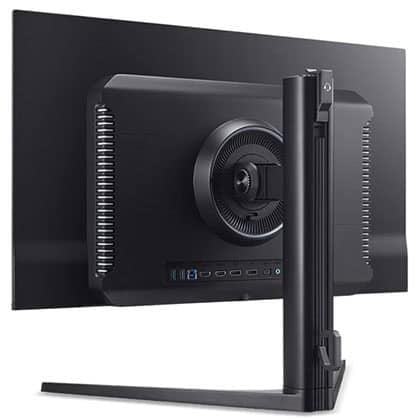
The stand of the monitor offers height adjustment up to 120mm, +/- 90° pivot, +/- 20° swivel, -5°/20° tilt and 75x75mm VESA mount compatibility.
Connectivity options include two HDMI 2.1 ports, two DP 1.4 ports, USB-C with DP Alt Mode and 65W PD, a headphone jack, dual integrated speakers, two USB-A 3.0 ports, USB-B and a built-in KVM.
The screen has a semi-glossy finish, which makes the image more vivid as there’s no graininess associated with matte anti-glare coatings.

However, the screen is more reflective, and without a polarizer, blacks appear raised under direct lighting. As long as no light is aimed directly at the screen, this isn’t an issue.


Alternatives
If you want a bit better 27″ 1440p 500Hz QD-OLED model, check out the following models:
- MSI MPG 271QR QD-OLED X50 – with BFI (Black Frame Insertion) up to 250FPS, higher 98W PD, DP 2.1, AI Care Sensor (automatically turns the display off when it detects that nobody is in front of it and turns it back on when someone returns) and EOTF Boost mode (slightly increases brightness of high APL scenes in Peak 1000 nits mode), but goes for $680 – $710
- MSI MAG 272QP QD-OLED X50 – lower 15W PD and no KVM switch, DP 2.1 or AI Care Sensor, but it has the EOTF Boost mode and BFI for $600 – $630
High-end W-OLED models
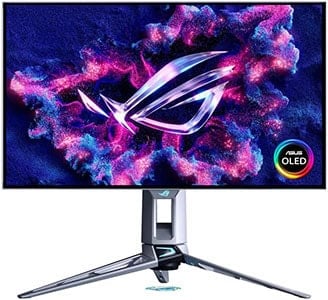
There are high-end 27″ 1440p 540Hz alternatives based on LG’s W-OLED panel with a 1500-nits 1.5% APL peak brightness and 720p 720Hz Dual Mode.
The 1280×720 resolution on a 27″ sized screen has a very low pixel density of 54 PPI, and the image will be additionally blurry since the monitor is displaying a non-native resolution, so the usability of this mode is very limited.
Although these W-OLED panels have a higher specified white luminance, their color luminance is lower than that of QD-OLED panels, resulting in lower overall perceived brightness.


The ASUS PG27AQWP-W and ASUS PG27AQWP-G models have glossy coatings that, unlike the semi-glossy finish of QD-OLED displays, don’t raise black levels under direct lighting. They are still reflective, so you have to mind the lighting in your room. These models are also a bit more expensive ($1,100+).
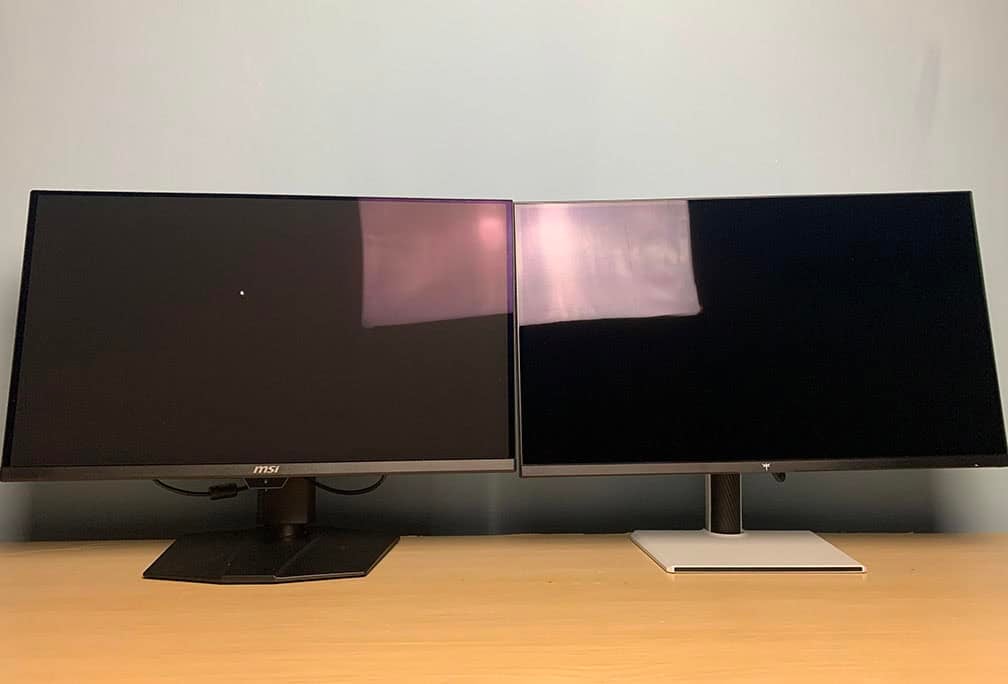
There’s the cheaper LG 27GX790B 1440p 540Hz W-OLED variant with 720p 720Hz Dual Mode, which can be found on sale for $680. It has a matte anti-glare coating that adds some graininess to the image (mostly noticeable on solid colors).
Like other W-OLED panels, the monitor can also exhibit gray banding, sometimes referred to as the dirty screen effect (DSE). This is most noticeable on uniform dark gray backgrounds and is generally much less apparent during regular use than in photos.

So, unless you really want the 720p 720Hz Dual Mode, we recommend going with the 1440p 500Hz QD-OLED models.
Other Dual Mode Gaming Monitors
If you’re interested in other monitors that can reach 480Hz or higher at their lower than native resolutions, consider the following models:
- ASUS PG32UCWM – 32″ 4K 240Hz Tandem W-OLED RGB panel with glossy screen and 1080p 480Hz Dual Mode for $1400
- ASUS XG32UQWMS – 32″ 4K 240Hz Tandem W-OLED panel with glossy screen and 1080p 480Hz Dual Mode. It has a higher 1500 nits white luminance, but RGWB subpixel layout, so text and fine details aren’t as clear for $900
- ASUS XG27UCGR, XG27UCGR-W – 27″ 4K 162Hz IPS monitors with 1080p 485Hz Dual Mode for around $400
Conclusion
That’s it! Hopefully, you’ve found the best 480Hz monitor for you – or which one of the upcoming alternatives you should keep an eye on.
If you want the lowest input latency and smoothest motion clarity, we recommend one of the two 1080p 600Hz TN models, depending on your preference.
In case you also want incredible image quality, an OLED display will suit you better – we recommend the Acer X27U F5, as it can display 500Hz at its native resolution.
Updates +
- November 14, 2026:
– Added the LG 25G590B.
– Replaced the ASUS PG248QP with the ASUS XG248QSG, the MSI MAG 272QP QD-OLED X50 with the Acer X27U F5. - March 29, 2025:
– Replaced the BenQ XL2586X with XL2586X+.