
There are many reasons why the majority of users prefer 27″ sized monitors, they’re neither too big nor too small, and they are available with all kinds of different panels types, resolutions and refresh rates.
Also, you don’t have to worry about certain compatibility issues associated with ultra-wide monitors.
In this buying guide, you will find only the best 27″ monitors as well as everything you need to know about them!
| Type | Monitor | Panel | Resolution | Refresh Rate | |
|---|---|---|---|---|---|
| Best 1080p Monitor | IPS | 1920x1080 | 240Hz | ||
| Best 1440p Monitors | IPS | 2560x1440 | 210Hz | ||
| VA | 2560x1440 | 240Hz | |||
| IPS | 2560x1440 | 320Hz | |||
| IPS | 2560x1440 | 360Hz, G-SYNC Pulsar | |||
| Best 1440p HDR Monitors | IPS | 2560x1440 | 320Hz | ||
| VA | 2560x1440 | 180Hz | |||
| VA | 2560x1440 | 180Hz | |||
| OLED | 2560x1440 | 500Hz | |||
| OLED | 2560x1440 | 540Hz, 720p 720Hz | |||
| Best 4K Monitors | IPS | 3840x2160 | 70Hz | ||
| IPS | 3840x2160 | 160Hz, 1080p 320Hz | |||
| Best 4K HDR Monitors | IPS | 3840x2160 | 160Hz, 1080p 320Hz | ||
| OLED | 3840x2160 | 240Hz | |||
| Best 5K Monitor | IPS | 5120x2880 | 180Hz, 1440p 330Hz |
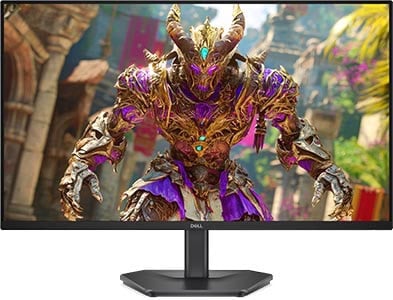
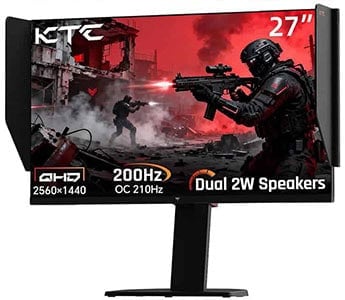

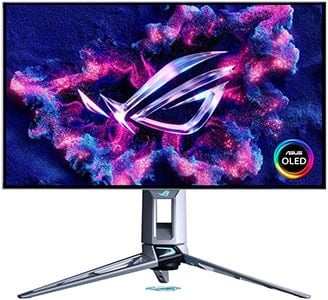
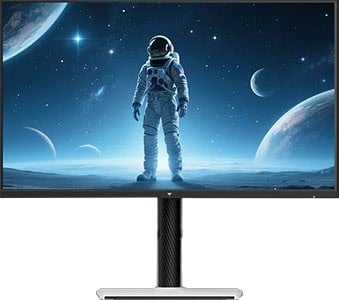

MSI MPG 271QR QD-OLED X50
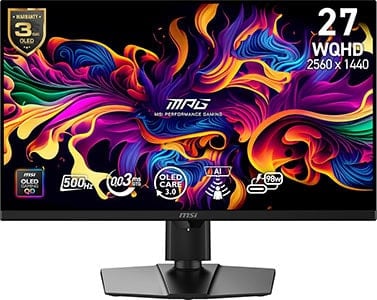
- 1440p 500Hz
- QD-OLED
- USB-C 98W PD, KVM

KTC M27P6
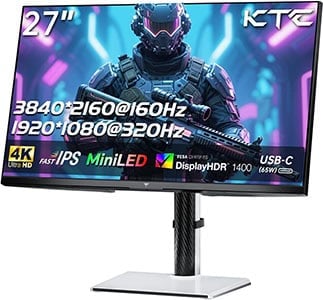
- 4K 160Hz + 1080p 320Hz
- Mini LED IPS, 1152-zone, DisplayHDR 1400
- USB-C 65W PD, KVM
As 27″ monitors are available with different combinations of specifications, you must know precisely what panel type, screen resolution and refresh rate is ideal for you and your PC configuration.
We will cover all of that in the monitor summaries below, but you can also refer to our comprehensive monitor buyer’s guide if you want all the information in one place.
Most of the monitors included in this guide are intended for gaming, watching movies, office use and other everyday activities.
If you want a professional 27″ monitor for color-critical work, you should visit our best photo/video editing monitors buyer’s guide.
We have a dedicated best gaming monitors guide as well.
Feel free to leave us a comment below if you need help picking a new monitor. You can also view our changelogs for this buying guide at the end of this guide.
Best 27-inch 1080p Monitor
Now, we don’t usually recommend 27″ 1080p monitors due to their low pixel density or PPI (pixel per inch). 24″ monitors are more suited for 1080p resolution as you get a higher pixel density and therefore sharper and clearer text and details for less money.
However, a lot of people don’t mind the low pixel density as they sit a bit further from the screen, which makes the individual pixels less distinguishable.
There are other ways to alleviate this as well, such as applying anti-aliasing in games and/or using AMD and NVIDIA’s Super Resolution features.

SANSUI ES-G27F2
Best Value 27″ 1080p Gaming Monitor
Panel: IPS
Resolution: 1920×1080
Refresh Rate: 165Hz
VRR: FreeSync (G-SYNC Stable)
The Pros:
- Plenty of gaming features including, VRR up to 165Hz
- 100% sRGB color gamut
The Cons:
- IPS glow and not as high contrast as that of VA panels
- Low pixel density
- Tilt-only stand
About The Monitor
Update: We now recommend the Dell SE2726HG instead. It has a 240Hz refresh rate for $150.
Want to kick it up a notch with a high refresh rate display?
The SANSUI ES-G27F2 offers the best value for the money when it comes to 27″ sized 1080p gaming monitors, and here is why.
Image Quality
Now, a high refresh rate greatly improves the gaming experience in comparison to the typical 60-75Hz displays.
165Hz significantly improves the motion clarity of fast-moving objects and makes gaming more responsive, fluid, and immersive.
It’s particularly noticeable and desirable in competitive FPS titles, but all games will feel smoother granted that your PC can push enough frames (unless the game itself is locked to 30/60FPS).
Additionally, the SANSUI ES-G27F2 features an IPS panel with 100% sRGB color gamut for accurate colors without oversaturation.
The contrast ratio amounts to 1,000:1 – naturally, VA models offer higher contrast, but they don’t have as vibrant colors.
More importantly, IPS panels offer a faster pixel response time speed, so there is a lot less smearing visible, especially at higher frame rates.
The SANSUI ES-G27F2 also supports variable refresh rate up to 165Hz for tear-free gameplay and the standard gaming features (crosshair overlays and Black Leveling).
Design & Connectivity
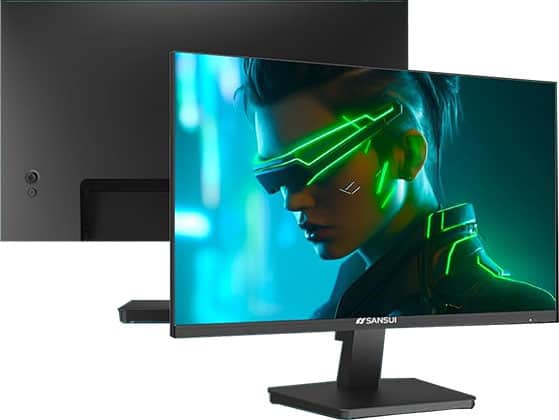
The SANSUI ES-G27F2 has a tilt-only stand, but its screen is VESA mount compatible via the 75x75mm pattern.
Connectivity options include two HDMI 2.0 ports, DisplayPort 1.4 and a headphone jack.
Alternatives
- Xiaomi Redmi G27 – tilt-only, 99% sRGB
- 120Hz IPS alternative by Sansui
In case you’re looking for something a bit different, check out these curved VA models. They have no IPS glow and a higher contrast ratio for deeper blacks, but they have slower response time and not as good VRR performance:
- Gigabyte G27FCA – with wide color gamut
- Acer ED270RM – sRGB color gamut
Best 27-inch 1440p Monitors
As you can see, the biggest issue with 27″ 1080p monitors is the low pixel density.
In contrast, 1440p resolution on 27″ displays won’t only make the picture less pixelated, it actually hits the pixel density sweet spot with ~108PPI which results in incredibly vivid details and plenty of screen real estate without any scaling necessary.

KTC H27T22
Best Budget 1440p 165Hz Gaming Monitor
Panel: IPS
Resolution: 2560×1440
Refresh Rate: 165Hz
VRR: FreeSync (G-SYNC Stable)
The Pros:
- Wide 95% DCI-P3 color gamut
- Quick response time speed
- Plenty of features, including VRR and MBR up to 165Hz
- Ergonomic design
The Cons:
- IPS glow and not as high contrast as that of VA panels
About The Monitor
Update: We now recommend the KTC 27M1 instead. It has a fully ergonomic stand with a 210Hz refresh rate for $152 on sale.
The KTC H27T22 is the best value 27″ 1440p high refresh rate IPS gaming monitor!
Image Quality
The KTC H27T22 is based on an IPS panel with a strong peak brightness of over 400-nits, a 1,000:1 contrast ratio, 10-bit color depth support for 1.07 billion colors, and a wide 95% DCI-P3 gamut coverage for vibrant colors (~130% sRGB).
Its 1ms GtG response time speed eliminates all prominent ghosting and allows you to enjoy FPS games with vibrant colors and vivid details.
All in all, you get gorgeous colors, sharp details, wide viewing angles and a quick response time speed, which, along with 165Hz, ensures buttery-smooth performance at an affordable price — what’s not to like?
Furthermore, the KTC H27T22 supports AMD FreeSync with a 48-165Hz dynamic range and VRR works without issues with NVIDIA cards over DisplayPort.
Other features include Black Equalize, crosshair overlays, various picture presets, HDR support and MBR.
Check out our in-depth KTC H27T22 review for more details.
Design & Connectivity

The stand of the monitor is sturdy and offers height adjustment up to 135mm, tilt by -5°/23°, +/- 45° swivel, +/- 90° pivot and 100x100mm VESA mount compatibility.
Connectivity options include two DisplayPort 1.4 inputs, two HDMI 2.0 ports (max 144Hz), a headphone jack and a USB port for firmware updates.
Alternatives
There are plenty of excellent 27″ 1440p high refresh rate IPS gaming monitors available nowadays, ranging from $150 to $200 (depending on sale).
So, we recommend checking them all out and choosing whichever is the cheapest or according to your design/feature preference:
If you want a 27″ 1440p curved gaming monitor, there’s the Gigabyte GS27QC and the Koorui 27E6QC. However, these have notably slower response time speed and lower refresh rate yet go for around the same price as KTC’s models.

KTC H27E6
Best Value 1440p 320Hz IPS Gaming Monitor
Panel: IPS
Resolution: 2560×1440
Refresh Rate: 320Hz
HDR: Yes
VRR: FreeSync (G-SYNC Compatible)
The Pros:
- Wide color gamut
- Plenty of gaming features including MBR and FreeSync up to 320Hz
- Fully ergonomic stand and rich connectivity options
The Cons:
- IPS glow and mediocre contrast ratio (as expected from this panel technology)
About The Monitor
Want a 27″ 1440p 240Hz+ display with an IPS panel?
Then the KTC H27E6 is for you!
Image Quality
Based on a flat-screen IPS panel, the KTC H27E6 doesn’t have as a high contrast ratio as the KTC H27E22, so you won’t get as deep and inky blacks.
However, it does support a wide 98% DCI-P3 color gamut, so you’ll get more consistent and vibrant colors, as well as wider viewing angles for a more consistent image.
The monitor also supports AMD FreeSync up to 320Hz with smooth VRR performance.
Other useful features include custom crosshairs, Black Equalize, various picture presets, a refresh rate tracker and the MPRT backlight strobing technology.
Design & Connectivity

The stand of the monitor offers full ergonomic support with up to 130mm height adjustment, +/- 90° pivot, -5°/20° tilt, +/- 45° swivel and 100x100mm VESA mount compatibility.
Connectivity options include two DisplayPort 1.4 inputs, two HDMI 2.1 ports, a USB port for firmware updates and a headphone jack.
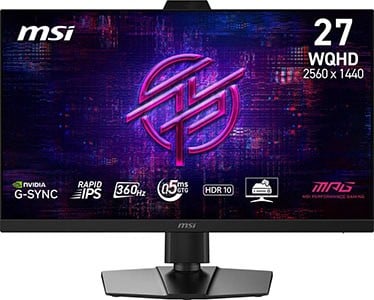
MSI MPG 272QRF X36
G-SYNC Pulsar Gaming Monitor
Panel: IPS
Resolution: 2560×1440
Refresh Rate: 360Hz
HDR: Yes
VRR: G-SYNC Pulsar
The Pros:
- Wide 90% DCI-P3 color gamut
- Quick response time, low input lag
- Plenty of gaming features including G-SYNC Pulsar up to 360Hz
- Fully ergonomic stand, USB hub
The Cons:
- IPS glow and mediocre contrast ratio (as expected from this panel technology)
About The Monitor
The MSI MPG 272QRF X36 is one of the best 27″ monitors if you want to combine serious competitive gameplay and other use, including playing more graphically-oriented games, office and everyday use, audio/video editing, etc.
Image Quality
The MSI MPG 272QRF X36 has an IPS panel with wide viewing angles, a wide 90% DCI-P3 color gamut, a 1,000:1 contrast ratio and a 400-nit peak brightness (500-nits in HDR mode).
Since it doesn’t have a proper mini LED FALD backlight, there are better HDR displays at this price range – the MSI MPG 272QRF X36 is all about uncompromising performance.
To start with, it has an impeccable pixel response time speed for zero ghosting behind fast-moving objects. Secondly, it supports G-SYNC Pulsar, which provides you with simultaneous VRR and MBR performance for zero tearing and no motion blur.
While many games prefer the ~24″ sized screens for competitive gameplay, there are a few advantages to going with the MSI MPG 272QRF X36 instead. Its higher resolution makes the image sharper, while the wide color gamut makes it easier to notice your enemies in certain environments.
What’s more, it has a few aspect ratio options for emulation (25″ 2368×1332, 25″ 1080p and 1280×960), as well as the Dark Boost feature (improves visibility in dark scenes). There’s also a built-in sensor that can automatically adjust screen brightness and color temperature according to ambient lighting.
Design & Connectivity
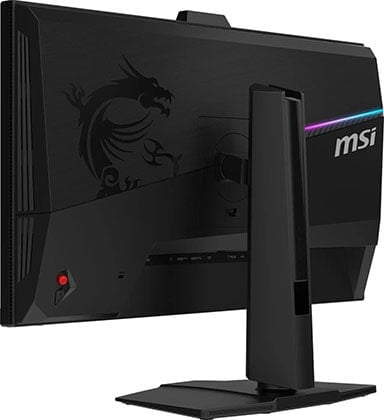
The stand of the monitor is sturdy and versatile with up to 130mm height adjustment, 90° pivot, +/- 30° swivel, -5°/20° tilt and 100x100mm VESA mount compatibility.
Connectivity options include DP 1.4 with DSC, two HDMI 2.0 ports (max 144Hz), a headphone jack, USB-B, three USB-A 3.0 ports and a USB micro-B port for firmware updates.
Alternatives
There are three more monitors based on the same panel and the G-SYNC Pulsar scaler. So, you can choose according to pricing or your preference:
- ASUS XG27AQNGV
- AOC AG276QSG2
- Acer XB273U F5
Best 1440p HDR Monitors
You can also choose between a few excellent 27″ 1440p HDR monitors!

Acer XV275U F3
Best 1440p IPS HDR Gaming Monitor
Panel: IPS
Resolution: 2560×1440
Refresh Rate: 320Hz
HDR: Yes
VRR: FreeSync (G-SYNC Stable)
The Pros:
- High peak brightness
- Wide 99% DCI-P3 and 99% Adobe RGB color gamut
- 1152-zone mini LED FALD
- Quick response time, low input lag
- Plenty of features, including VRR up to 320FPS
- Fully ergonomic stand
The Cons:
- Minor blooming/haloing noticeable in certain scenes
About The Monitor
The Acer XV275U F3 is the best 27″ 1440p IPS mini LED HDR display!
Image Quality
Just like the KTC H27T22, the Acer XV275U F3 has a 27″ 1440p IPS panel with wide viewing angles and a quick pixel response time.
However, it has a much wider color gamut, covering 99% DCI-P3 and 99% Adobe RGB color space for more vibrant and rich colors, as well as a higher 320Hz refresh rate.
Most importantly, the Acer XV275U F3 features a 1152-zone mini LED FALD (full-array local dimming) backlight, which allows it to dim parts of the image that are supposed to be dark without affecting the areas that should remain bright, thus significantly boosting the contrast ratio in the process.
So, the monitor can simultaneously display deep blacks and punchy highlights with a peak brightness of 1,000-nits!
Of course, as there are ‘only’ 1152 dimming zones, some blooming will be noticeable when small lit objects are surrounded by dimmed zones, but this is an issue only in particularly demanding scenes (such as fireworks, night sky, etc.), so it’s tolerable.
You also get the standard gaming features, including smooth VRR performance up to 320FPS, VRB (Visual Response Boost, backlight strobing), timer, crosshair overlays, a refresh rate tracker, Black Boost, etc.
Design & Connectivity

The stand of the monitor is sturdy and offers height up to 150mm, pivot by 90°, -5°/25° tilt, +/- 20° swivel and 75x75mm VESA mount compatibility.
Connectivity options include two DisplayPort 1.4 inputs, two HDMI 2.0 ports and a headphone jack.

AOC Q27G40XMN
Best Value 1440p HDR Gaming Monitor
Panel: VA
Resolution: 2560×1440
Refresh Rate: 180Hz
HDR: Yes
VRR: FreeSync (G-SYNC Unstable)
The Pros:
- High peak brightness
- Wide 96% DCI-P3 and 90% Adobe RGB color gamut
- 336-zone mini LED FALD
- Decent response time, low input lag
- Plenty of features, including VRR up to 180FPS
- Fully ergonomic stand
The Cons:
- Minor blooming/haloing noticeable in certain scenes
- Minor ghosting
About The Monitor
If you’re looking for something cheaper than the Acer XV275U F3 that also has excellent HDR image quality, check out the AOC Q27G40XMN!
Image Quality
The AOC Q27G40XMN has the same number of dimming zones as the Acer XV275U F3, but it uses a VA panel with a higher native contrast ratio, so it will have deeper blacks and less blooming artifacts.
However, the AOC Q27G40XMN doesn’t have quite as wide color gamut with 97% DCI-P3, and due to its VA panel, you don’t get quite as wide viewing angles.
Additionally, the AOC Q27G40XMN has a bit slower response time. It’s not as slow as the traditional VA panel displays, but some ghosting will be noticeable behind fast-moving objects, mainly in dark scenes.
Now, while it does have a few disadvantages in comparison to the Acer XV275U F3, it’s usually available for $100 less! So, for most users who aren’t too concerned with these drawbacks, it might actually be a better deal!
The monitor also supports VRR up to 180Hz and has standard gaming features, such as Shadow Boost, Game Color, crosshair overlays, refresh rate trackers, etc.
Check out our full AOC Q27G40XMN review for more information.
Design & Connectivity

The stand of the monitor is tilt-only, but it’s VESA mount compatible via the 100x100mm pattern.
Connectivity options include HDMI 2.0, DP 1.4 and a headphone jack.

KTC M27T6
Best 1440p VA HDR Gaming Monitor
Panel: VA
Resolution: 2560×1440
Refresh Rate: 180Hz
HDR: Yes
VRR: FreeSync (G-SYNC Unstable)
The Pros:
- High peak brightness, decent pixel density, wide color gamut
- 1152-zone mini LED FALD
- Decent response time, low input lag
- Plenty of features, including VRR up to 180FPS
- Fully ergonomic stand
The Cons:
- Minor blooming/haloing noticeable in certain scenes
- Minor ghosting
About The Monitor
The KTC M27T6 is another 27″ 1440p 180Hz VA mini LED gaming monitor we recommend. It’s a bit better than the Q27G40XMN, but it’s also more expensive.
Image Quality
The KTC M27T6 has an even higher peak brightness with a higher-tier DisplayHDR 1400 certification. In our tests, it reached up to 1500-nits!
The choice between the two will mainly come down to price. The Q27G40XMN goes for $250 – $300, while the M27T6 goes for $300 – $350. We find that KTC’s model is worth the extra $50, but not the extra $100.
So, unless you can grab the M27T6 on sale for $300, the Q27G40XMN is a better buy at $250.
Check out our full KTC M27T6 review for more information.
Design & Connectivity
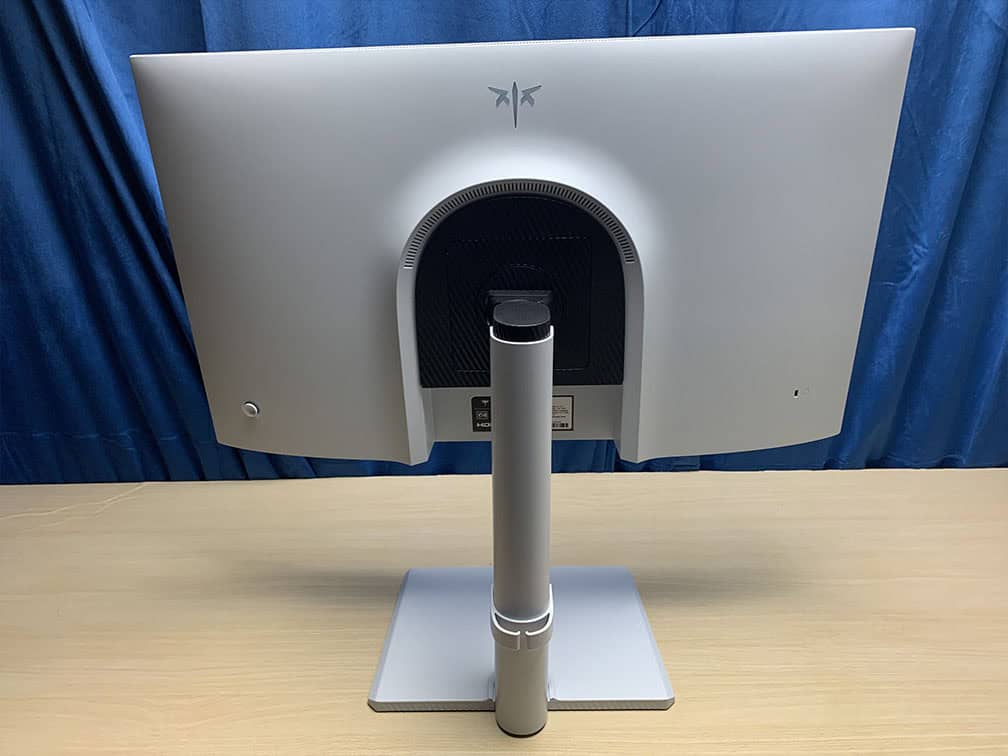
The stand of the monitor offers height adjustment up to 130mm, -5°/20° tilt, +/- 90° pivot, +/- 45° swivel and 100x100mm VESA mount compatibility.
Connectivity options include two HDMI 2.0 ports, DP 1.4, a headphone jack and a USB port for firmware updates.
MSI MPG 271QR QD-OLED X50
Best 1440p OLED Gaming Monitor
Panel: QD-OLED
Resolution: 2560×1440
Refresh Rate: 500Hz
HDR: Yes
VRR: FreeSync (G-SYNC Stable)
The Pros:
- Wide 99% DCI-P3 color gamut
- Infinite contrast ratio, high peak brightness
- Quick response time, low input lag
- Plenty of gaming features including VRR up to 500Hz, BFI up to 250FPS
- Fully ergonomic stand, USB-C 98W, KVM
The Cons:
- Risk of permanent image burn-in and temporary image retention
- Not as bright as mini LED displays
About The Monitor
The MSI MPG 271QR QD-OLED X50 is one of the best 27″ HDR monitors you can buy, thanks to its 4th-Gen panel with True Black 500 and rapid 500Hz refresh rate.
Image Quality
OLED panels provide you with an infinite contrast ratio and instantaneous pixel response time speed, resulting in both an immersive HDR viewing experience and responsive gameplay.
The main advantage of OLED displays when it comes to image quality is the infinite contrast ratio as each pixel can individually turn off for true blacks. Since there’s no backlight, this also means that there’s no backlight bleeding, blooming, IPS glow or other visual artifacts.
The MSI MPG 271QR QD-OLED X50 also has vibrant colors with a wide 99.3% DCI-P3 gamut coverage (sRGB mode available), wide viewing angles, true 10-bit color depth support and a decent peak brightness with True Black 500
While OLED displays are generally dimmer than most LED-backlit screens, the MSI MPG 271QR X50 can maintain 300-nits for a 100% white window and reaches up to 1000-nits for HDR highlights, which is more than enough for everyday SDR use and a punchy HDR picture.
The main downside is the risk of permanent image burn-in when displaying an image with bright static elements for too long. However, as long as you’re using the monitor sensibly and take advantage of the integrated burn-in prevention features, burn-in shouldn’t be an issue.
The 271QR X50 even has an AI Sensor that can automatically shut down the display when nobody is in front of it, and wake it up when it detects a person’s presence.
Other features include VRR support up to 500Hz, BFI up to 250FPS, Night Vision, crosshair overlays, a refresh rate tracker, and more.
Check our in-depth review for more information.
Design & Connectivity
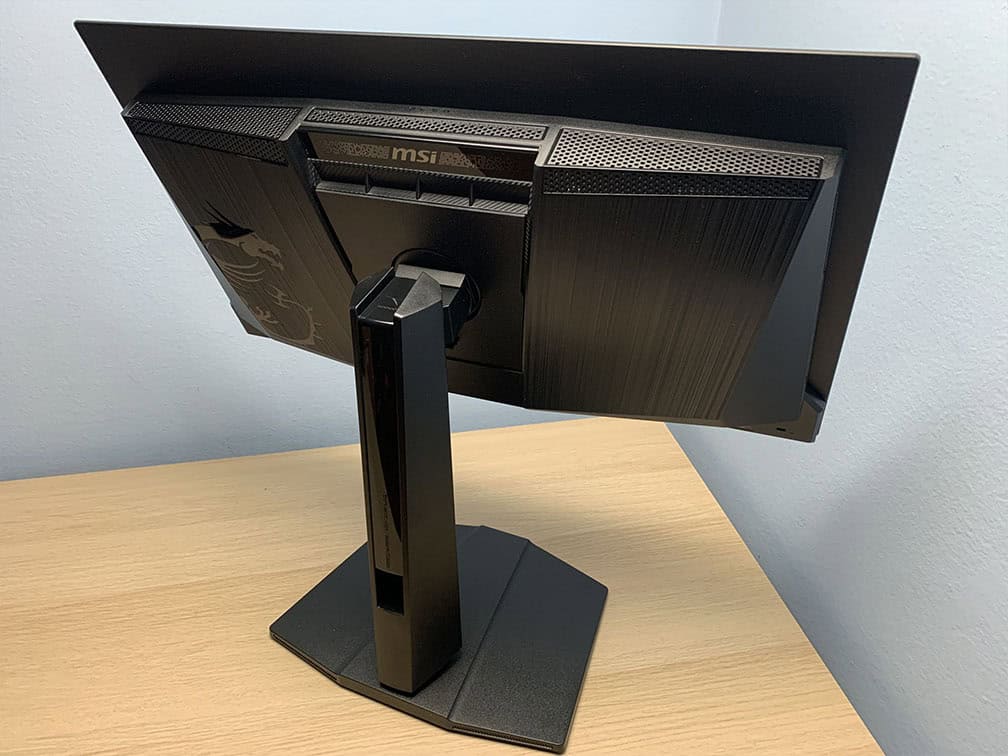
The MSI MPG 271QR QD-OLED X50 monitor has a robust design with a fully ergonomic stand, including -5°/20° tilt, +/- 30° swivel, +/- 90° pivot, up to 110mm height adjustment and 100x100mm VESA mount compatibility.
Connectivity options include two HDMI 2.1 ports with full 48 Gbps bandwidth, DisplayPort 2.1 with the highest UHBR20 transmission mode, a USB-C port with DP Alt Mode and up to 98W Power Delivery, a dual-USB 3.0 hub, KVM and a headphone jack.
The screen has a semi-glossy finish, which makes the image more vivid as there’s no graininess associated with matte anti-glare coatings.

However, the screen is more reflective, and without a polarizer, blacks appear raised under direct lighting. As long as no light is aimed directly at the screen, this isn’t an issue.


Alternatives
If you don’t need 500Hz, you can also find cheaper 360Hz, 280Hz and 240Hz QD-OLED models, though with a bit lower brightness for 100% and 10% APL with DisplayHDR True Black 400 certification.
There are also 27″ 1440p monitors with Tandem W-OLED panels and 540Hz (720p 720Hz Dual Mode), such as the LG 27GX790B for $1000.
However, unless you need the 720p 720Hz Dual Mode for competitive gaming, we find that the 500Hz QD-OLED models offer better image quality (due to higher color luminance) and value for the money.
Other 27″ 1440p OLED monitors worth considering are the 280Hz Tandem W-OLED models, such as the Gigabyte MO27Q28G.
There are over 100 27″ 1440p high refresh rate OLED monitors available, so to ensure you’re getting the model that’s most suited for your budget and personal preference, be sure to visit our dedicated OLED Monitors article.
Best 27-inch 4K Monitors
4K resolution looks even sharper on 27″ monitors than 1440p. However, in order to make small items such as text readable at such high pixel density, you will need to apply scaling.
Further, 4K is very taxing on your GPU when it comes to gaming. You will need a high-end graphics card in order to maintain a smooth performance, so make sure your PC rig will be able to handle it.

Sceptre U275W-UPT
Best Budget 4K Monitor
Panel: IPS
Resolution: 3840×2160
Refresh Rate: 70Hz
HDR: No
VRR: N/A
The Pros:
- High pixel density
- Wide viewing angles
- Inexpensive
The Cons:
- IPS glow and not as high contrast as that of VA panels
- Tilt-only stand
- No AMD FreeSync
About The Monitor
The Sceptre U275W-UPT is one of the most affordable 4K monitors you can get, yet it features an IPS panel with wide viewing angles and accurate colors!
Image Quality
Do you want a 4K monitor for UHD video streaming, editing, work and gaming?
You’re going to adore the Sceptre U275W-UPT.
It has a 99% sRGB color gamut for accurate and vivid colors without over-saturation and supports 10-bit color depth via dithering for smooth gradients.
Best of all, 4K resolution results in a pixel density of 163 PPI, which makes details sharp and clear.
You will need to apply some scaling to make text readable, which will, in turn, reduce the amount of available screen space, but make the details even more vivid.
Other specs are pretty standard with a peak brightness of 350-nits and a static contrast ratio of 1,000:1.
Features

Unfortunately, the monitor does not support FreeSync, so you will not be able to synchronize its refresh rate with your graphics card or the Xbox One X.
However, this is not a big issue since most 4K 60Hz FreeSync monitors have a VRR range of 40-60Hz only. So, there’s no LFC support and FreeSync doesn’t work well with NVIDIA cards on most of these monitors.
Furthermore, many console games are limited to 30FPS in which case FreeSync won’t work at all.
The Sceptre U275W-UPT does have a 70Hz refresh rate, so at least you get a little boost in motion clarity as opposed to 60Hz.
If you want a 27″ 4K monitor that supports FreeSync up to 60Hz, check out the LG 27UL500 and the Dell S2721QS.
Design & Connectivity

The Sceptre U275W-UPT features a slim design with ultra-thin bezels, but its stand is unfortunately tilt-only. However, you can mount the screen via the 100x100mm VESA pattern.
Connectivity options include HDMI 2.0, two HDMI 1.4 ports, one DisplayPort 1.2 input and a headphone jack.
Alternatives
If the Sceptre U275W-UPT is not available, check out the KTC H27P27 with 60Hz, VRR support and wide color gamut for $200 – $210.
Visit our best 4K monitors buyer’s guide for more information and the best deals available. For color-critical work, check out our photo/video editing monitors guide.
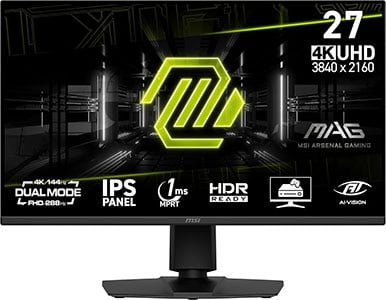
MSI MAG 275UPD E14
Best Value 4K 144Hz SDR Monitor
Panel: IPS
Resolution: 3840×2160
Refresh Rate: 144Hz + 1080p 288Hz
VRR: FreeSync (G-SYNC Stable)
The Pros:
- High pixel density, 4K UHD
- Accurate and vibrant colors
- Plenty of features including VRR + MBR up to 144Hz at 4K, 288Hz at 1080p
- Fully ergonomic stand
The Cons:
- IPS glow and mediocre contrast ratio (as expected from this panel technology)
About The Monitor
Update: We now recommend the KTC H27P6 instead. It has a higher 400-nit peak brightness, USB-C with 90W PD and KVM for the same price.
If you want a 27″ 4K monitor with a high refresh rate and you don’t care about HDR, the MSI MAG 275UPD E14 is for you!
Image Quality
The MSI MAG 275UPD E14 is one of the most affordable 27″ 4K 144Hz IPS gaming monitors, yet it offers a lot of useful features.
To start with, it has a wide 90% DCI-P3 color gamut, a dedicated sRGB emulation mode, a 250-nit peak brightness, a 1500:1 contrast ratio and a fast response time.
It also boasts the 1080p 288Hz Dual Mode, VRR + MBR (MPRT Sync) performance up to 288FPS, 24.5″ emulation mode, AI Vision (improves visibility in dark scenes), crosshair overlays and on-screen timers.
Design & Connectivity

The design is robust and versatile with a good range of ergonomics, such as +/- 30° swivel, +/- 90° pivot, 130mm height adjustment, -5°/20° tilt and 100x100mm VESA mount compatibility.
Connectivity options include two HDMI 2.1 inputs, DisplayPort 1.4 with DSC, dual 2W integrated speakers and a headphone jack.
Alternatives
- Koorui G2741L – 4K 160Hz, 1080p 320Hz, 400-nits for $300 – $350
- Gigabyte M27UP – 4K 160Hz, 1080p 320Hz, 400-nits, KVM, USB-C (DP Alt Mode and 18W PD) for $330 – $380
Best 4K HDR Monitors
If you want a 27″ 4K monitor with proper HDR support, here are the best models.
KTC M27P6
Best 27″ 4K HDR Gaming Monitor
Panel: IPS
Resolution: 3840×2160
Refresh Rate: 160Hz + 1080p 320Hz
VRR: FreeSync (G-SYNC Stable)
The Pros:
- High peak brightness, high pixel density, wide color gamut
- 1152-zone mini LED FALD
- Quick response time, low input lag
- Plenty of features, including VRR up to 160FPS, 1080p 320FPS
- Fully ergonomic stand and rich connectivity options, including KVM and USB-C with 65W PD
The Cons:
- Minor blooming/haloing noticeable in certain scenes
About The Monitor
Do you have a powerful high-end PC setup and want to push it to its limits?
A 4K 160Hz gaming monitor will give it a good run for its money.
Image Quality
The KTC M27P6 offers a native refresh rate of 160Hz, allowing you to enjoy a buttery-smooth performance in video games as well as the stunning detail clarity 4K resolution provides.
Now, most gamers will still opt for a 1440p 144Hz display instead because the enhancement in image quality between 4K and 1440p on 27″ monitors isn’t that big while the difference in the required GPU horsepower for seamless performance is massive.
However, if you have a high-end gaming graphics card and want 4K resolution for other purposes than just gaming, the KTC M27P6 is the best 27″ 4K LED-backlit gaming monitor you can get for ~$450.
Besides offering 4K resolution, the monitor features a wide 98% DCI-P3 and 97% Adobe RGB color gamut, a standard 1,000:1 contrast ratio, a strong 1800-nit peak brightness for HDR content and a rapid 2ms GtG response time speed.
The monitor also has a 1152-zone mini LED full-array local dimming solution, allowing it to simultaneously display deep blacks and bright highlights for incredible HDR image quality.
Moving on, the monitor supports variable refresh rate for tear-free gameplay up to 160FPS at 4K or up to 320FPS at 1080p via Dual Mode.
Check out our full KTC M27P6 review for more information.
Design & Connectivity
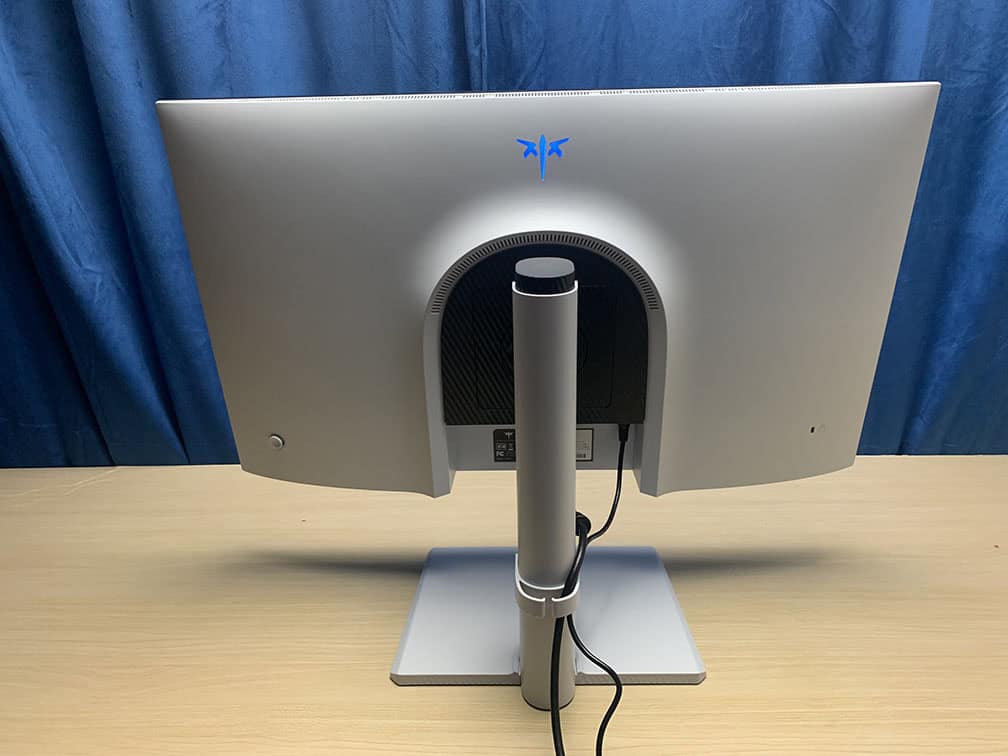
The stand is sturdy and offers height adjustment up to 130mm, +/- 45° swivel, 90° pivot, -5°/20° tilt and 100x100mm VESA mount compatibility.
Connectivity options include two HDMI 2.1 ports with full 48 Gbps bandwidth, DP 1.4 with DSC, USB-C with DP Alt Mode and 65W PD, a headphone jack, built-in KVM and a dual-USB 3.0 hub.
Alternatives
- MSI MAG 274UPDF E16M – based on the same panel but with lower-tier DisplayHDR 1000 and lower 15W PD over USB-C

MSI MAG 272UP QD-OLED X24
Best 27″ 4K HDR Gaming Monitor
Panel: QD-OLED
Resolution: 3840×2160
Refresh Rate: 240Hz
VRR: FreeSync (G-SYNC Stable)
The Pros:
- Infinite contrast ratio, decent peak brightness, wide color gamut
- Instant response time
- Plenty of features, including VRR up to 240Hz
- Fully ergonomic design
- 3-year warranty that covers burn-in
The Cons:
- Risk of permanent image burn-in and temporary image retention
- Not as bright as mini LED displays
About The Monitor
If you want a 27″ OLED gaming monitor with the 4K UHD resolution, the MSI MAG 272UP QD-OLED X24 is the best option for the money!
Image Quality
Thanks to its QD-OLED panel, the monitor offers an infinite contrast ratio, exceptional 99.3% DCI-P3 color gamut, true 10-bit color depth, 178° viewing angles and a peak brightness with up to 1000-nits for small (3% APL) HDR highlights and respectable 250-nits for 100% APL.
In addition to excellent image quality, the high pixel density of 166 PPI eliminates the issues with the uncommon subpixel layout, meaning that there’s no noticeable fringing on small text and fine details.
The MSI MAG 272UP QD-OLED X24 also has a dedicated sRGB mode, along with the usual gaming features, such as crosshair overlays, Night Vision, on-screen timers, VRR up to 240Hz, advanced OLED Care, etc.
Design & Connectivity
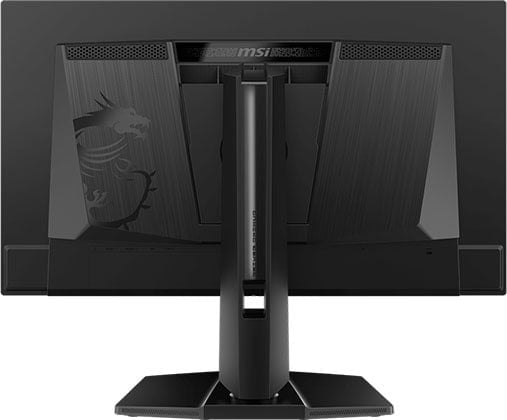
The stand of the monitor offers height adjustment up to 110mm, +/- 90° pivot, +/- 30° swivel, -5°/20° tilt and 100x100mm VESA mount compatibility.
Connectivity options include DP 1.4 with DSC, two HDMI 2.1 ports, a headphone jack and a USB-C port with DP Alt Mode and 15W PD.
The monitor has the same semi-glossy finish as most QD-OLED panels.
Alternatives
- ASUS XG27UCDMG – it has USB-C with 90W PD, KVM, BFI up to 120Hz (making it a great option for console gamers), but it goes for $960, whereas the 272UP X24 can be found for $730
Best 5K Monitors
Want a monitor with an even higher resolution? You’ll find the best 5K monitors here!
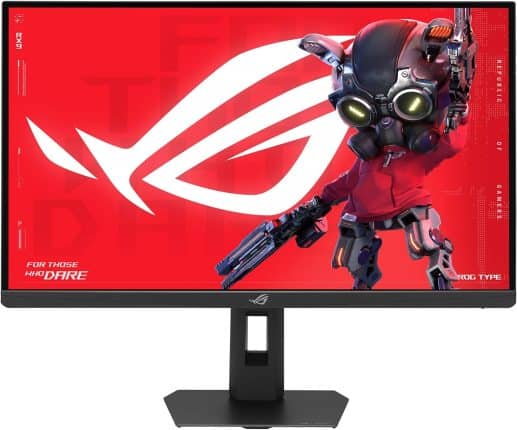
ASUS XG27JCG
5K Gaming Monitor
Panel: IPS
Resolution: 5120×2880
Refresh Rate: 180Hz + 1440p 330Hz
VRR: FreeSync (G-SYNC Stable)
The Pros:
- High pixel density, 5K
- Accurate and vibrant colors
- Plenty of features including VRR + MBR up to 180Hz at 5K, 330Hz at 1440p
- Fully ergonomic stand, KVM
The Cons:
- IPS glow and not as high contrast as that of VA panels
- No proper HDR support
About The Monitor
The ASUS ROG Strix 5K XG27JCG boasts a screen resolution of 5120×2880, providing you with stunning detail clarity of 218 PPI (pixels per inch)!
Image Quality
The ASUS XG27JCG is a perfect monitor for both gaming and work, as you can enjoy the sharpness of 5K in office-related apps or graphically-oriented games, and simply switch to the 1440p 330Hz mode for competitive titles.
It also has a wide 97% DCI-P3 color gamut coverage, an sRGB emulation mode, a 1000:1 contrast ratio and a 350-nit peak brightness.
With DisplayHDR 600 certification, HDR content gets a boost in brightness up to 600-nits, but since there’s no FALD, you’re not getting a proper HDR viewing experience.
Other useful features include ELMB 2 and ELMB-Sync, Shadow Boost, crosshair overlays, a refresh rate tracker, Sniper, Aspect Control (24.5″ emulation) and VRR support.
Design & Connectivity
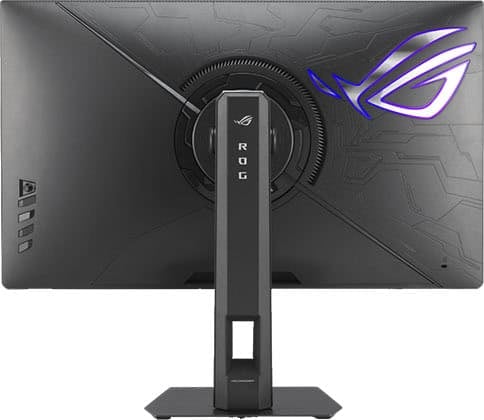
The stand of the monitor offers height adjustment up to 110mm, -5°/20° tilt, +/- 40° swivel, +/- 90° pivot and 100x100mm VESA mount compatibility.
Connectivity options include DP 1.4, two HDMI 2.1 ports, USB-C with DP Alt Mode and 15W PD, USB-B, three USB-A 3.0 ports, built-in KVM and a headphone jack.
Alternatives
In 2026, we’re also expecting 27″ 5K 165Hz IPS gaming monitors with 2304-zone mini LED FALD and 1440p 330Hz Dual Mode.
If you’re looking for a more affordable 5K monitor, the KTC H27P3 with a 5K 60Hz and 1440p 120Hz Dual Mode IPS Black panel can be found for $570.
Conclusion
Did you find the perfect 27″ monitor for you?
Feel free to leave us a question below if you need further assistance.
If you’re not interested in HDR, the KTC H27P6 offers exceptional value for the price, while the MSI MPG 272QF X36 provides you with incredible performance.
Nowadays, there are plenty of excellent mini LED and OLED 27″ monitors to choose from, but we highly recommend the MSI MPG 271QR QD-OLED X50, or the KTC M27P6 if you don’t want an OLED display.
Changelog +
- February 14, 2026:
– Replaced the SANSUI ES-G27F2 with the Dell SE2726HG, the KTC H27T22 with the KTC 27M1.
– Added the KTC H27E22. Review summaries will be updated soon. - January 16, 2026:
– Added the MSI MPG 272QRF X36 and the ASUS XG27JCG.
– Removed the KTC H27E22. - November 27, 2025:
– Added the MSI MAG 272QPW QD-OLED X28. - November 25, 2025:
– Replaced the Xiaomi G Pro 27i with the Acer XV275U F3 and the MSI MAG274UPF E2 with the Gigabyte M27UP. - May 26, 2025:
– Replaced the KTC H27E22F with the SANSUI ES-G27F2.
– Replaced the HP Omen 27qs with the KTC H27E6.
– Added a review summary for the ASUS XG27UCDMG. - March 27, 2025:
– Added the MSI MPG 272URX and the LG 27G850A to the table. Review summaries will be added to the article soon. - November 28, 2024:
– Replaced the Samsung G6 with the KTC H27E22. Added review summaries for the KTC H27T22, the Xiaomi G Pro 27i and the MSI MAG274UPF E2. - November 22, 2024:
– Updated the table with the best options. The rest of the article will be updated soon as well. - September 11, 2024:
– Added the ASUS PG27AQDP. - August 7, 2024:
– Replaced the Dell AW2725DF with the MSI MAG 271QPX, and the Redmagic 4K Gaming Monitor with the Innocn 27M2V. - May 15, 2024:
– Replaced the AOC 27G2SP and the ViewSonic XG270 with the KTC H27E22F. - January 16, 2024:
– Replaced the ASUS PG27AQDM with the Dell AW2725DF.
– Added the MSI MAG274UPF.
– Replaced the Acer XV272UV with the XV271U M3. - November 11, 2023:
– Replaced the Gigabyte G27F-2 with the AOC 27G2SP and the Philips 278E1A with the Sceptre U275W-UPT.
– Added review summaries for the HP Omen 27qs and the AOC Q27G3XMN. - May 25, 2023:
– Replaced the AOC 27G1 with the Gigabyte G27F-2.
– Added a review summary for the ASUS PG27AQDM.
– Added the Redmagic 4K Gaming Monitor. - November 22, 2022:
– Checked up on the guide to ensure that our picks are still the best options available. - November 10, 2022:
– Removed the AOC CQ27G2, the MSI MAG274QRF-QD, the Sony Inzone M9, and the ASUS PG27UQ.
– Added the Acer XV272UV, the Cooler Master Tempest GP27Q and GP27U, and the ASUS PG27AQN. - July 8, 2022:
– Replaced the LG 27GP950 with the Sony Inzone M9.
– Removed the HP M27ha. - April 19, 2022:
– Replaced the ASUS XG27AQM with the Gigabyte M27Q-X. - February 9, 2022:
– Replaced the Acer CB272 with the HP M27ha.
– Removed the BenQ EW277HDR. - November 25, 2021:
– Checked up on the guide to ensure that our picks are still the best options available. - September 10, 2021:
– Replaced the Acer XV272UX with the ASUS XG27AQM, and the LG 27GP850 with the MSI MAG274QRF-QD. - August 18, 2021:
– Replaced the LG 27GN950 with the LG 27GP950.
– Replaced the LG 27GL83A with the LG 27GP850. - May 28, 2021:
– Improved readability. - May 26, 2021:
– Added the LG 27GP850 as an alternative to the LG 27GL83A. - February 11, 2021:
– Added the Gigabyte G27Q as an alternative to the LG 27GL83A. - December 24, 2020:
– Added the Acer XV272UX. - December 11, 2020:
– Added the Dell AW2721D as an alternative to the Samsung G7.
– Added the Dell S2721DGF as an alternative to the LG 27GL83A and the LG 27GL850, mainly for the Xbox One X/S and the Xbox Series X/S consoles.


