
Got a budget of $300-$400 for a new gaming monitor?
In this guide, you will find all the available combinations of display specifications within this price range, allowing you to pick the best gaming monitor under 400 USD for you!
| Type | Monitor | Size | Resolution | Panel | Refresh Rate | |
|---|---|---|---|---|---|---|
| Best HDR Gaming Monitors | 27" | 2560x1440 | OLED | 240Hz | ||
| 27" | 2560x1440 | OLED | 240Hz | |||
| 27” | 2560x1440 | IPS | 320Hz | |||
| Best UltraWide Gaming Monitor | 40” | 3440x1440 | IPS | 155Hz |
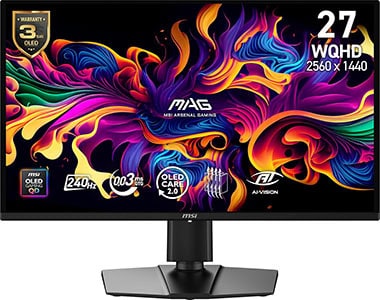

AOC Q27GAZD
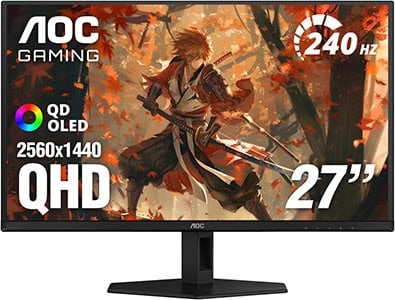
- 27″ 1440p 240Hz
- Infinite contrast ratio
- Instantaneous response time

Acer XV275U F3

- 27″ 1440p 320Hz
- IPS panel with wide color gamut
- 1152-zone mini LED FALD
Now, since you have quite a diverse selection in this price range, it’s important that you pick the right panel type, screen size, resolution and refresh rate according to your preference.
Visit our dedicated monitor buyer’s guide for more information.
We’ll cover everything in the monitor summaries below, so as long as you stick to our guidelines and tips, we guarantee that you’ll be satisfied with your new gaming monitor.
However, ensure that your PC system will be able to run video games properly at the resolution and refresh rate you want.
If you want to view our changelogs for this particular buying guide, you can do so at the end of this article.
Best HDR Gaming Monitors
You can nowadays get excellent HDR gaming monitors for $300 – $400!
Acer XV275U F3
27″ Mini LED Gaming Monitor Under $400
Size: 27”
Resolution: 2560×1440
Panel: IPS
Refresh Rate: 320Hz
VRR: FreeSync (G-SYNC Stable)
The Pros:
- High peak brightness
- Wide 99% DCI-P3 and 99% Adobe RGB color gamut
- 1152-zone mini LED FALD
- Quick response time, low input lag
- Plenty of features, including VRR up to 320FPS
- Fully ergonomic stand
The Cons:
- Minor blooming/haloing noticeable in certain scenes
About The Monitor
The Acer XV275U F3 is the best 27″ 1440p IPS monitor with proper HDR support available for under $400.
Image Quality
Thanks to its 1152-zone mini LED FALD (full-array local dimming) backlight, the Acer XV275U F3 can simultaneously deliver deep blacks and bright highlights up to 1000-nits!
These zones can individually dim parts of the image that are supposed to be dark without greatly affecting the areas that are supposed to remain bright.
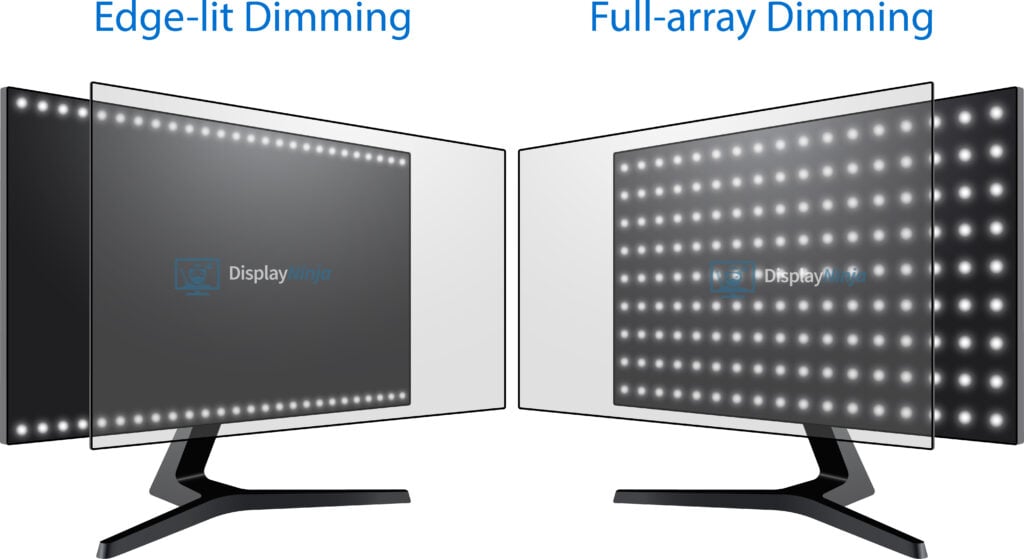
In some demanding scenes (stars in a night sky, fireworks, etc.), the light that’s illuminating the small bright object can bleed into the surrounding dimmed zones and create blooming, but this is an expected drawback of this technology. Considering that it only occurs in these demanding scenes, most users can tolerate it.
In addition, the Acer XV275U F3 has a wide 99% DCI-P3 and 99% Adobe RGB gamut coverage for vibrant and saturated colors.
VRR is supported up to 320Hz for tear-free gameplay.
Design & Connectivity

The stand of the monitor is sturdy and offers height up to 150mm, pivot by 90°, -5°/25° tilt, +/- 20° swivel and 75x75mm VESA mount compatibility.
Connectivity options include two DisplayPort 1.4 inputs, two HDMI 2.0 ports and a headphone jack.
AOC Q27GAZD
OLED Gaming Monitor Under $400
Size: 27”
Resolution: 2560×1440
Panel: OLED
Refresh Rate: 240Hz
VRR: FreeSync (G-SYNC Stable)
The Pros:
- Infinite contrast ratio
- Wide color gamut
- Decent peak brightness
- Instant response times
- Plenty of features, including VRR up to 240Hz
The Cons:
- Risk of burn-in (covered by 3-year warranty)
- Not as bright as mini LED displays
- Tilt-only stand
About The Monitor
The AOC Q27GAZD is a 27″ 1440p 240Hz gaming monitor with an OLED panel available for under $400!
Image Quality
Unlike LED-backlit panels, OLED displays light up each pixel individually. This lets them turn pixels completely off, producing true blacks, virtually infinite contrast, and none of the blooming, glow, or light bleed you often see with traditional backlighting.
OLED panels also have instantaneous pixel response times, making them ideal for fast-paced gaming with no ghosting behind moving objects.
The AOC Q27GAZD further stands out with its 240Hz refresh rate and a plethora of gaming features, including crosshair overlays, Shadow Control, on-screen timers, and more.
The main drawback of OLED technology is the potential for burn-in. If bright, static elements stay on the screen for extended periods, they can leave a permanent afterimage.
That said, AOC includes several burn-in protection features, such as Pixel Refresh, Auto Warning, and Pixel Orbiting. So, with normal use, it’s unlikely to be an issue. The monitor also comes with a 3-year warranty that covers burn-in.
Another limitation is brightness. Compared to mini-LED displays, peak brightness is lower: around 250 nits at 100% APL and up to 450 nits at 10% APL, reaching 1,000 nits only in very small highlights (below 3% APL).
Even so, this is more than enough for an impressive HDR experience, delivering punchy highlights, true blacks, and vibrant colors thanks to its 99.3% DCI-P3 coverage and true 10-bit color depth. You also get wide viewing angles.
One final thing to note with OLED displays is that VRR can cause slight brightness fluctuations in certain situations, such as games with unstable frame rates, menus, or loading screens. If it becomes too noticeable, disabling VRR in those titles will resolve the issue.
Design & Connectivity
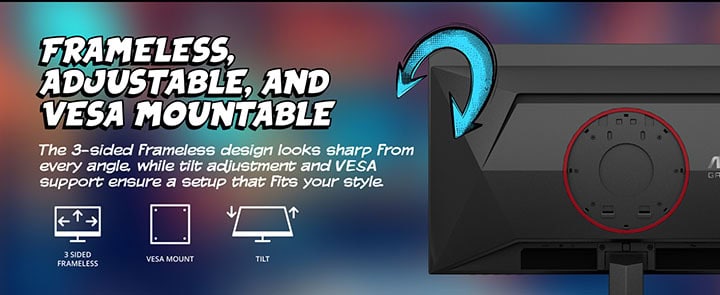
The AOC Q27GAZD has a tilt-only stand, but it’s VESA mount compatible.
Like most QD-OLED monitors, it has a semi-glossy coating that makes the image more vivid, but it’s also more reflective and causes raised blacks under direct lighting, so you have to mind the lighting in your room.
Connectivity options include DP 1.4, HDMI 2.0 and a headphone jack.
Alternatives
There are over 100 27″ OLED monitors available, but the Q27GAZD is usually the cheapest, which is why it doesn’t have HDMI 2.1, USB hub, ergonomic stand, etc., but the image quality between all 1440p 240Hz – 360Hz QD-OLED models is basically the same. AOC alone has six 1440p 240Hz QD-OLED variants. Check out our dedicated OLED Monitors article for more options.
Best UltraWide Gaming Monitor
Ultrawide displays have an aspect ratio of 21:9 as opposed to the 16:9 ratio of standard widescreen monitors.
This provides you with extra horizontal space that (in games that support 21:9 natively) widens your field of view for a more immersive gaming experience.

MSI MAG401QR
40″ UltraWide Gaming Monitor Under $400
Size: 40”
Resolution: 3440×1440
Panel: IPS
Refresh Rate: 155Hz
VRR: FreeSync (G-SYNC Stable)
The Pros:
- Wide color gamut
- Fast response time speed
- VRR and MBR up to 155Hz
- Rich connectivity options, including USB-C with 65W PD and KVM
The Cons:
- Most users prefer curved screens at this size
- IPS glow and mediocre contrast ratio (as expected from this panel technology)
- Tilt-only stand
About The Monitor
The MSI MAG401QR is the best ultrawide monitor you can get under $400 if you want a large flat-screen display.
Image Quality
The MSI MAG401QR has a 40″ 3440×1440 flat-screen display with 93 PPI (pixels per inch), which is a similar pixel density as that of a 24″ 1080p monitor. So, that’s the level of detail clarity you can expect, just on a much larger screen.
Further, the monitor’s screen is not curved, which is the preferred format on ultrawide displays of this size. However, at a normal viewing distance, it’s not an issue.
Moving on, the monitor has a wide 94% DCI-P3 gamut coverage for vibrant colors, a strong 400-nit peak brightness and a high 144Hz (overclockable to 155Hz) refresh rate.
You also get VRR support up to 155Hz for tear-free gameplay, PiP/PbP support, crosshair overlays, Night Vision, on-screen timers and MBR.
Check out our MSI MAG401QR review for more details.
Design & Connectivity

The stand of the monitor is tilt-only, but the screen is VESA mount compatible (100x100mm).
Connectivity options include DP 1.4, two HDMI 2.0 ports, USB-C with DP Alt Mode and 65W Power Delivery, a dual-USB 2.0 hub and a headphone jack. There’s also integrated KVM functionality.
Alternatives
If you want a smaller 34″ ultrawide display, you can find the Sceptre E345B-QUN168W with a flat-screen IPS panel and the KTC H34S18S with a curved VA panel for under $300.
Conclusion
Did you find the best gaming monitor under 400 USD for you?
Feel free to leave any questions in the comment section below if you need further assistance.
Overall, we find that the AOC Q27GAZD and the Acer XV275U F3 offer the best value due to their proper HDR support. The choice between the two will come down to your personal preference between OLED and mini LED.
If you’re not interested in HDR, the MSI MAG401QR is the best option under $400, but you should also check out the mentioned alternatives if you prefer curved models with higher pixel density.
For more options around this price range, be sure to check out our best monitors under $300 and under $500 guides.
Updates +
- March 24, 2026:
– Added the MSI MAG 274QP QD-OLED X24 to the table. A review summary will be added soon. - February 5, 2026:
– Replaced the AOC Q27G4ZD with Q27GAZD. - January 25, 2026:
– Added the Acer XV275U F3. - November 21, 2025:
– Added the AOC Q27G4ZD.
– Removed the Xiaomi G Pro 27i. - June 2, 2025:
– Replaced the MSI MAG274UPF E2 with the Acer XB273K V5.
– Added the Acer XV252QF.
– Removed the MSI G274QPX. - November 23, 2024:
– Replaced the AOC Q27G3XMN with he Xiaomi G Pro 27i, the MSI MAG274UPF with MAG274UPF E2 and the HP Omen 27qs with the MSI G274QPX.
– Removed the ViewSonic XG2431, the Acer XV252QF, the KTC H32S25E, the Sceptre E345B-QUN168W and the Gigabyte G34WQC-A as most of these are now available for under $300. - September 16, 2024:
– Added the KTC H32S25E to the table. A review summary will be added soon. - July 31, 2024:
– Removed the ASUS PG329Q.
– Added the MSI MAG401QR and the MSI MAG274UPF. - November 14, 2023:
– Added review summaries for the HP Omen 27qs and the AOC Q27G3XMN.
– Replaced the Sceptre E345B-QUT168 with the Sceptre E345B-QUN168W and the Gigabyte M32Q with the ASUS PG329Q.
– Removed the MSI MAG301RF, the ASUS VG289Q, the Gigabyte M27Q-P and the LG 32UN500. - January 20, 2023:
– Added a review summary for the Gigabyte G34WQC-A. - January 19, 2023:
– Added a review summary for the Acer XV252QF.
– Replaced the MSI MAG274QRF with the Gigabyte M27Q-P. - November 24, 2022:
– Checked up on the guide to ensure that our picks are still the best options available. Be sure to check out ‘Alternatives’ for monitors that go for below $400 on sales. - March 11, 2022:
– Checked up on the guide to ensure that our picks are still the best options available. - December 8, 2021:
– Added review summaries for the monitors that were missing them. - November 26, 2021:
– Checked up on the guide to ensure that our picks are still the best options available. - October 6, 2021:
– Repalced the Gigabyte G34WQC (discontinued) with the Sceptre E345B. - August 11, 2021:
– Removed the Acer XF252Q (no longer available).
– Added the MSI MAG301RF to the table, a dedicated review section will be added soon.
– Replaced the Gigabyte G32QC with Gigabyte M32Q and the LG 32UL500 with BenQ EW3270U. - May 27, 2021:
– Fixed overall readability. - February 10, 2021:
– Replaced the LG 32GK650F with the Gigabyte G32QC and added the LG 32GN650 and the Samsung G5 as alternatives.
– Added the Gigabyte G27Q as an alternative to the LG 27GL83A.


