If you want to use the full potential of your high-end PC rig or a gaming console, a 4K 144Hz gaming monitor will definitely put its powerful hardware to good use.
Although relatively new to the market, there are quite a few 4K 144Hz gaming monitors available, and we’ll make sure you pick the one most suited to you!
| Monitor | Size | Refresh Rate | Panel | Proper HDR Support | |
|---|---|---|---|---|---|
| 27” | 160Hz, 1080p 320Hz | IPS | No | ||
| 27" | 160Hz, 1080p 320Hz | IPS | Yes | ||
| 32" | 160Hz, 1080p 320Hz | IPS | Yes | ||
| 32" | 165Hz | OLED | Yes | ||
| 37” | 165Hz | VA | No | ||
| 43" | 144Hz | VA | Yes | ||
| 42" | 144Hz | OLED | Yes |
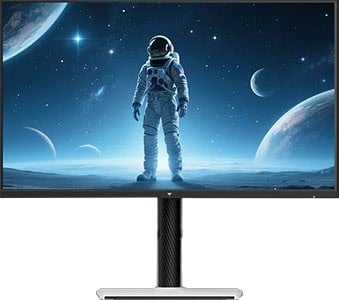


MSI MAG 321UP

- Infinite contrast ratio
- Instantaneous response time

KTC M27P6
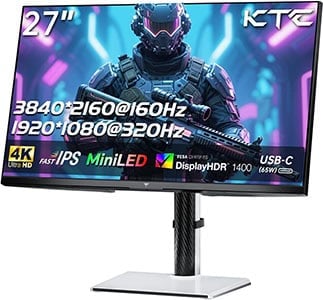
- 1152-zone mini LED FALD
- 1080p 320Hz Mode, DisplayHDR 1400
- USB-C / KVM
So, let’s see which 4K 144Hz gaming monitor is the best one for you based on your budget and preference regarding panel type, screen size, and other features!
Note that there are also a few upcoming 4K 144Hz monitors worth keeping an eye out for, all of which we’ll mention in the monitor reviews below.
We’ll include a few alternatives that might be worth considering as well, depending on region and availability. You can view our changelogs for this buying guide at the end of this guide.
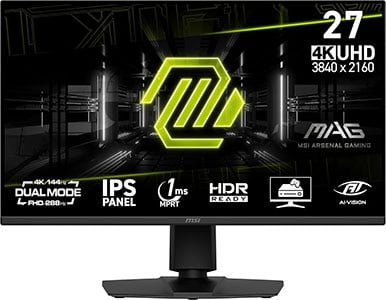
MSI MAG 275UPD E14
Budget 4K 144Hz HDMI 2.1 Gaming Monitor
Size: 27″
Panel: IPS
Refresh Rate: 144Hz, 1080p 288Hz
The Pros:
- Wide color gamut
- Quick response time speed
- Plenty of features, including VRR up to 144Hz, 288Hz at 1080p
- Fully ergonomic stand
The Cons:
- IPS glow and mediocre contrast ratio (as expected from this panel technology)
About The Monitor
Update: We now recommend the KTC H27P6 instead. It has a higher 400-nit peak brightness, USB-C with 90W PD and KVM for the same price.
The MSI MAG 275UPD E14 offers excellent value for the price with its 27″ 4K 144Hz IPS panel, 1080p 288Hz Dual Mode and an ergonomic design.
Image Quality
The best thing about the MSI MAG 275UPD E14 is that you’re not really giving up anything crucial for its lower price in comparison to the alternatives.
It’s based on an IPS panel with a wide 90% DCI-P3 color gamut for saturated and rich colors. Next, it has a quick response time speed that eliminates ghosting behind fast-moving objects, making it ideal for fast-paced gaming.
4K UHD resolution looks incredibly sharp on 27″ sized screens with 163 PPI (pixels per inch), while the wide 178° viewing angles ensure that the image is perfect regardless of the angle you’re looking at the screen.
The contrast ratio amounts to 1,500:1, as expected from an IPS monitor, meaning that blacks won’t be as deep as that of VA panels (~3,000:1 contrast ratio). However, there are no 4K 144Hz VA monitors available at this screen size anyway (only 43″ and 32″).
It has a peak brightness of only 250-nits, which is the minimum as far as modern LED back-lit displays go, but the screen can still get more than bright enough under normal viewing conditions. If you’re using the screen in a particularly bright room (facing a big window without blinds or under studio lighting), you should look for a brighter monitor.
DisplayPort 1.4 with DSC (Display Stream Compression) for visually lossless compression if you have a compatible GPU (AMD Navi, NVIDIA Turing, or newer).
Moving on, the MSI MAG 275UPD E14 supports a variable refresh rate (VRR) for tear-free gameplay up to 144FPS at 4K and up to 288FPS at 1080p.
HDMI 2.1 VRR also provides a variable refresh rate for the PS5.
Next, MPRT is supported, which can reduce perceived motion blur at the cost of picture brightness by backlight strobing.
Other features include Night Vision (improves visibility in darker scenes), custom crosshairs and a refresh rate tracker.
Design & Connectivity
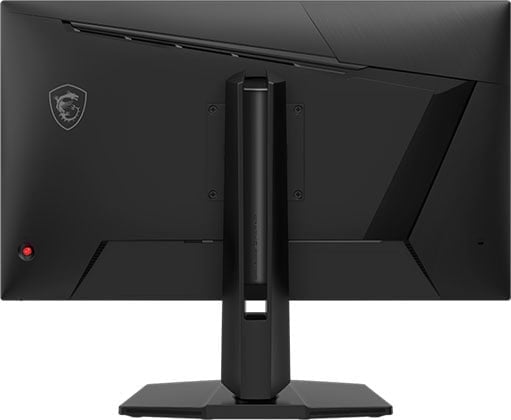
The design is robust and versatile with a good range of ergonomics, such as +/- 30° swivel, +/- 90° pivot, 130mm height adjustment, -5°/20° tilt and 100x100mm VESA mount compatibility.
Connectivity options include two HDMI 2.1 inputs, DisplayPort 1.4 with DSC, a headphone jack and dual 2W integrated speakers.
Alternatives
- Gigabyte M27UP – with USB-C and KVM
- Koorui G2741L
- ASUS XG27UCG-W
- KTC H27P22S, Gigabyte GS27U – no Dual Mode

Innocn 27M2V
Best 27″ 4K HDR Gaming Monitor
Size: 27″
Panel: IPS
Refresh Rate: 160Hz
The Pros:
- High peak brightness, wide color gamut; 1152-zone mini LED FALD
- Quick response time speed
- Plenty of features, including VRR up to 144Hz
- Fully ergonomic stand and rich connectivity options, including KVM and USB-C with 90W PD
The Cons:
- Minor blooming/haloing noticeable in certain scenes
- Clunky OSD buttons
About The Monitor
Update: We now recommend the KTC M27P6 instead. It has a higher-tier DisplayHDR 1400 certification with a 1800-nit peak brightness, as well as a 1080p 320Hz Dual Mode at a lower price.
For proper HDR support, we highly recommend the Innocn 27M2V if you want a 27″ 4K high refresh rate monitor.
Image Quality
The 27M2V is based on an IPS panel with a wide 99% DCI-P3 and 99% Adobe RGB color gamut for vibrant colors.
Further, it has a 1152-zone mini LED FALD backlight for incredible HDR image quality. When watching HDR content, the peak brightness can go a bit over 1,200-nits for punchy highlights, while at the same time the screen can dim parts of the image that are supposed to be dark for inky blacks!
Other panel-related specifications are similar to that of the MSI MAG 275UPD E14 and include a 1,000:1 static contrast ratio, a fast 1ms GtG response time speed and 178° viewing angles.
The 27″ sized screen is slightly smaller, but it also has a slightly higher pixel density of 163 PPI.
Features
The Innocn 27M2V supports a variable refresh rate for tear-free gameplay up to 144FPS. Other features include various picture presets, Shadow Balance, PiP/PbP and crosshair overlays.
Check out our Innocn 27M2V review for more details.
Design & Connectivity

The monitor has a sturdy and ergonomic stand with up to 120mm height adjustment, +/- 15° swivel, 90° pivot, 15° tilt and 100x100mm VESA mount compatibility.
Connectivity options include DisplayPort 1.4 with DSC, two HDMI 2.1 inputs with full 48 Gbps, USB-C (DP 1.4 Alt Mode, 90W PD), a dual-USB 3.0 hub, a headphone jack, dual 5W integrated speakers and built-in KVM functionality.

Innocn 32M2V
Value 32″ 4K 144Hz IPS HDR Gaming Monitor
Size: 32″
Panel: IPS
Refresh Rate: 144Hz
The Pros:
- High peak brightness, wide color gamut; 1152-zone mini LED FALD
- Fast response time, low input lag
- Plenty of features, including VRR up to 144FPS
- Ergonomic stand and rich connectivity options, including USB-C with 90W PD and KVM
The Cons:
- Minor blooming/haloing noticeable in certain scenes
- Occasional flickering when using VRR and local dimming at the same time in some games
About The Monitor
In case you want a 32″ 4K 144Hz gaming monitor with true HDR support, you’re going to love the Innocn 32M2V!
Image Quality
Even though it has a larger screen with the same number of dimming zones as the Innocn 27M2V, the Innocn 32M2V still manages to deliver an immersive HDR viewing experience thanks to its 1152-zone mini LED FALD, 1200-nit peak brightness and wide 99% Adobe RGB and DCI-P3 color gamut.
It will naturally have more blooming than the Innocn 27M2V, but considering that this is an unavoidable drawback of this technology and that it mainly occurs in particularly demanding scenes, it’s tolerable.
Moving on, the Innocn 32M2V supports VRR up to 144Hz for tear-free gameplay and offers plenty of additional features, such as Black Boost, a refresh rate tracker, crosshair overlays and various picture presets.
Check out our full Innocn 32M2V review for more information.
Design & Connectivity
The stand is sturdy and offers height adjustment up to 80mm, +/- 25° swivel, -5°/20° tilt and 100x100mm VESA mount compatibility.
Connectivity options include two HDMI 2.1 ports with full 48 Gbps bandwidth, DP 1.4 with DSC, USB-C with DP Alt Mode and 90W PD, two 5W built-in speakers, a headphone jack and a dual-USB 3.0 hub.
Alternatives
- Innocn 32A6V – the same monitor with a darker design
- Acer XV325QK V3 – with 1080p 320Hz Dual Mode
- KTC M32P10 – with USB-C 45W PD and KVM
MSI MAG 321UP
Best 4K 144Hz Gaming Monitor
Size: 32″
Panel: OLED
Refresh Rate: 165Hz
The Pros:
- Infinite contrast ratio, wide color gamut, high peak brightness
- Plenty of features, including VRR up to 165Hz
- Quick response time speed
- Glossy screen surface makes the image more vivid (but causes mirror-like reflections
- HDMI 2.1
The Cons:
- Risk of permanent image burn-in and temporary image retention (covered by a 3-year warranty though)
- Not as bright as high-end LED-backlit TVs
About The Monitor
If you don’t need a high 240Hz refresh rate, the MSI MAG 321UP is the best 4K gaming monitor you can get!
Image Quality
Thanks to its OLED panel, you get an infinite contrast ratio and instantaneous pixel response time speed.
Further, unlike the LG C4, the MSI MAG 321UP is based on Samsung’s QD-OLED panel with a higher peak brightness of 250-nits for 100% APL and 1000-nits for < 3% APL. It also has a wider 99.3% DCI-P3 color gamut and higher color volume, meaning that the colors are brighter.
Next, it uses Samsung’s third-generation panel with the improved diamond-shaped subpixel layout that eliminates prominent fringing on small text and fine details.
You also get smooth VRR performance for tear-free gameplay and the usual gaming features, such as Night Vision, crosshair overlays, etc.
Check out our MSI MPG 321URX review for more information. It’s the 240Hz version of this monitor with USB-C 90W PD and KVM.
Design & Connectivity

The stand of the monitor offers height adjustment up to 110mm, +/- 30° swivel, -5°/15° tilt, 10° pivot for balancing and 100x100mm VESA mount compatibility.
Next, the screen has a glossy screen surface that makes for more vivid image without graininess, but it’s also more reflective and raises blacks with a purplish hue when hit by direct lighting.

Connectivity options include DisplayPort 1.4, two HDMI 2.1 ports, USB-C with DP Alt Mode and 15W PD, and a headphone jack.
Alternatives
The MSI MAG 321UP can be found for $800, whereas the 240Hz model, the 321UPX goes for $900.
There also a few more 32″ 4K 165Hz QD-OLED models available, such as the Gigabyte Aorus FO32U and the AOC AG326UD.

Samsung S43CG70
43″ 4K 144Hz Mini LED Gaming Monitor
Size: 43″
Panel: VA
Refresh Rate: 144Hz
The Pros:
- Decent peak brightness, wide color gamut; 360-zone mini LED FALD
- Plenty of features, including VRR up to 144Hz
- Rich connectivity options, built-in Tizen OS
The Cons:
- Minor ghosting in fast-paced games, mainly in darker scenes
- BGR subpixel layout
- Minor blooming/haloing noticeable in certain scenes
About The Monitor
If you want a 43″ display, but don’t want to deal with OLED’s limited brightness and risk of burn-in, the Samsung Odyssey Neo G7 S43CG70 is the best 43″ 4K LED-backlit high refresh rate gaming monitor available.
Image Quality
Even though the Gigabyte FV43U has DisplayHDR 1000 certification, the Samsung S43CG70 with DisplayHDR 600 actually offers a significantly better HDR image quality due to its 360-zone mini LED FALD backlight.
While it cannot reach 1,000-nits, it goes up to 700-nits for small highlights and can maintain ~450-nits for a full white window, which along with its full-array local dimming creates a much better HDR image quality.
The Samsung S43CG70 has a 95% DCI-P3 gamut coverage, so it won’t have as vibrant colors as that of the FV43U.
For the best HDR image quality, however, you should consider the LG 42C2 with an OLED panel due to its per-pixel dimming as all FALD displays have noticeable blooming in demanding scenes. The Samsung S43CG70 is only worth considering if you’re worried about burn-in and need a high peak brightness for everyday use.
As it’s the case with most VA panel monitors, the S43CG70 is prone to VRR brightness flickering and it has a slow pixel response time speed, resulting in noticeable smearing in dark scenes.
The monitor also has Samsung’s Tizen OS with streaming applications, DeX, Microsoft 365, Bixby voice assistant, etc. Other supported features include UltraWide Game View (changes the resolution to 3840×1600 21:9), crosshair overlays and various picture presets.
Design & Connectivity
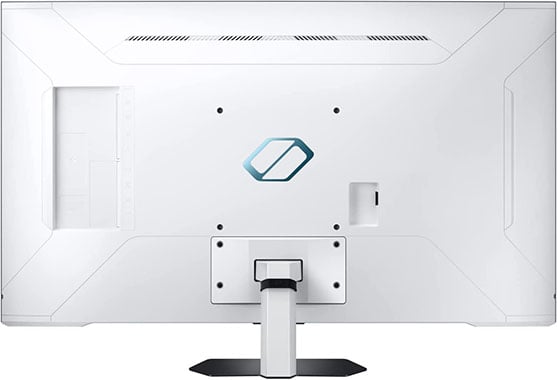
The stand is tilt-only by -3°/20°, but the screen is 200x200mm VESA mount compatible. The screen has a matte anti-glare coating that eliminates reflections without making the image too grainy.
Connectivity options include two HDMI 2.1 ports, DP 1.4 with DSC, a dual-USB 3.0 hub, RJ45, WiFi, Bluetooth and dual 20W speakers. You also get a remote controller.

LG OLED42C4
Best 42″ HDR Gaming Display
Size: 42″
Panel: OLED
Refresh Rate: 144Hz
The Pros:
- Infinite contrast ratio, wide color gamut, decent peak brightness
- Plenty of features, including VRR up to 144Hz and Dolby Vision
- Quick response time speed
- Glossy screen surface makes the image more vivid (but causes mirror-like reflections
- HDMI 2.1, USB hub
The Cons:
- Risk of permanent image burn-in and temporary image retention (not covered by warranty)
- Not as bright as high-end LED-backlit TVs
- Noticeable text fringing due to RWBG subpixel layout
About The Display
Update: We now recommend the newer C5 model instead.
While there are excellent 1440p and ultrawide OLED gaming monitors, if you want a large 4K 144Hz display, the LG OLED42C4 TV is your best bet!
Image Quality
OLED displays don’t rely on a backlight to produce an image. Instead, each pixel emits its own light. As a result, you get a basically infinite contrast ratio with true blacks as pixels can simply turn off when displaying black.
Further, there’s no backlight bleeding, IPS glow or blooming visual artifacts, which makes for an incredible HDR viewing experience, especially in dark rooms.
Next, the pixel response time speed is instantaneous. So, there’s no ghosting or overshoot behind fast-moving objects, regardless of the refresh rate.
You also get smooth VRR performance and although there’s some near-black gamma shift in dark scenes, it’s not as noticeable as VRR brightness flickering on VA panels.
The main disadvantage of OLED displays is the risk of burn-in when showing an image with bright static elements for too long. However, as long as you’re using the monitor sensibly and taking advantage of the available burn-in prevention features, it shouldn’t be an issue.
OLED displays also can’t get as bright as LED-backlit panels. The LG OLED42C4 is limited to around 180-nits in SDR. For some users, this is bright enough under normal lighting conditions, but others might find it too dim. For HDR, the screen can reach up to 700-nits for small highlights, which is enough to create a vivid and punchy viewing experience.
While the 4K UHD resolution looks sharp even on 42″ sized screens, LG’s W-OLED panels use an RWBG subpixel layout, which causes minor fringing on small text and fine details, but it’s not noticeable in games and videos.
The LG OLED42C4 also has a wide 98% DCI-P3 gamut coverage for rich colors and 178° viewing angles, which means that the image remains flawless regardless of the angle you’re looking at it.
Finally, the TV uses LG’s WebOS 23 for smooth navigation through streaming apps and you get the Magic Remote controller. Other features include various picture presets, 21:9 and 32:9 Wide Aspect Ratio, Black Stabilizer, Google and Alexa voice assistance and even Dolby Vision support.
Check out our LG OLED42C3 review for more details, which is basically the same TV but with a lower 120Hz refresh rate.
Design & Connectivity

The LG OLED42C4 has a design with legs to better fit on a regular PC desk, but there are no ergonomic adjustments apart from VESA mount compatibility. It has a glossy screen finish for a more vibrant image quality, but it’s reflective.
Connectivity options include four HDMI 2.1 ports, RJ45, tuner, composite-in, both analog and digital audio jacks, three USB 2.0 ports, WiFi, Bluetooth and dual 10W integrated speakers (no subwoofer though).
Alternatives
- ASUS PG42UQ – based on the same panel with a 138Hz overclocked refresh rate, DisplayPort input, matte anti-glare coating and a heatsink for slightly higher brightness. However, it goes for $1050, while the LG OLED42C4 can be found for as low as $850. The PG42UQ also doesn’t have any smart features or Dolby Vision support.
Conclusion
Did you find the best 4K 144Hz gaming monitor for you? Leave us a comment below if you’re not sure which one to pick!
Overall, we find that the MSI MAG 321UP is the best 4K 144Hz gaming monitor thanks to its OLED panel. If you’re too worried about burn-in or want a brighter HDR image, one of the mini LED models will suit you better, such as the KTC M27P6 or the Acer XV325QK V3.
Of course, if you don’t care about HDR gaming and content consumption, the other SDR models are also worth considering for light SDR gaming, productivity work, everyday use, etc., with the KTC H27P6 offering exceptional value for the price.
Updates +
- November 28, 2025:
– Replaced the MSI MAG274UPF E2 with the MSI MAG 275UPD E14, the LG OLED42C4 with C5 and the Innocn 32M2V with the Acer XV325QK V3.
– Removed the MSI MAG321CUP, the Arzopa M3RC, the Gigabyte FV43U and the Samsung Neo G7. - April 18, 2025:
– Replaced the MSI MAG323UPF with the Arzopa M3RC. - November 19, 2024:
– Replaced the MSI MAG274UPF with MAG274UPF E2, the MSI G321CU with MAG321CUP, the LG OLED42C3 with C4.
– Added the MSI MAG 321UP and the BenQ EX321UX. - August 4, 2024:
– Replaced the Gigabyte M27U with the MSI MAG274UPF, the Gigabyte M32U with the MSI MAG323UPF, and the LG C2 with the C3. - November 2, 2023:
– Replaced the Acer XB283KKV with the Gigabyte M27U. - March 16, 2023:
– Replaced the Tempest GP27U with the Innocn 27M2V.
– Added the Acer X32FP, the MSI G321CU, the Gigabyte M32U and the Samsung S43CG70.
– Removed the LG OLED48C1, the ASUS PG42UQ, the ASUS PG32UQX and the LG 32GQ950. - November 22, 2022:
– Checked up on the guide to ensure that our picks are still the best options available. - November 9, 2022:
– Replaced the Sony Inzone M9 with the Cooler Master Tempest GP27U. - September 16, 2022:
– Added the ASUS PG42UQ. - August 30, 2022:
– Added the Samsung Neo G7.
– Replaced the MSI MPG321UR-QD with the LG 32GQ950. - July 5, 2022:
– Replaced the LG 27GP950 with the Sony Inzone M9. - April 21, 2022:
– Added the LG OLED42C2. - February 8, 2022:
– Replaced the Gigabyte M28U with the Acer XB283K KV. - December 16, 2021:
– Checked up on the guide to ensure that our picks are still the best options available.